# pinput 7.0.0

Pin code input (OTP) text field, iOS SMS autofill, Android SMS autofill One Time Code, Password, Passcode, Captcha, Security, Coupon, Wowcher, 2FA, Two step verification


## Installing
```
export PUB_HOSTED_URL=https://pub.mirror.p-hatan.com
flutter pub add pinput
```
Published: 2026-10-01T21:06:01.611516Z
Expected archive SHA-256: d446a2a0a4b9f4d2f9c4a7e0aa1e5995d4ee09dad1d27c161953ef70b7a54fa4

Available in cache; verification: upstream_checksum
## Direct dependencies
- cupertino_ui: ^1.0.0
- flutter: map[sdk:flutter]
- material_ui: ^1.0.0

## Package README (untrusted upstream documentation)
<div align="center">  
 <h1 align="center" style="font-size: 70px;">Flutter pin code input</h1>

<div align="center">
    <a href="https://just-url.short.gy/prelude">
        <img width="301" alt="Prelude SMS API"
            src="https://github.com/user-attachments/assets/a8f90a17-8c2f-4392-a6ad-665cf1d57809">
    </a>
    <br>
    <a href="https://ko-fi.com/flutterman">
        <img width="300"
            src="https://user-images.githubusercontent.com/26390946/161375567-9e14cd0e-1675-4896-a576-a449b0bcd293.png">
    </a>
</div>
<div align="center">
    <a href="https://www.buymeacoffee.com/fman">
        <img width="150" alt="buymeacoffee"
            src="https://user-images.githubusercontent.com/26390946/161375563-69c634fd-89d2-45ac-addd-931b03996b34.png">
    </a>
    <a href="https://ko-fi.com/flutterman">
        <img width="150" alt="Ko-fi"
            src="https://user-images.githubusercontent.com/26390946/161375565-e7d64410-bbcf-4a28-896b-7514e106478e.png">
    </a>
</div>

<h3 align="center" style="font-size: 35px;">Need anything Flutter related? Reach out on <a href="https://www.linkedin.com/in/thornike/">LinkedIn</a>
</h3>

[![Pub package](https://img.shields.io/pub/v/pinput.svg)](https://pub.dev/packages/pinput)
[![Github starts](https://img.shields.io/github/stars/tkko/flutter_pinput.svg?style=flat&logo=github&colorB=deeppink&label=stars)](https://github.com/tkko/flutter_pinput)
[![style: effective dart](https://img.shields.io/badge/style-effective_dart-40c4ff.svg)](https://github.com/tenhobi/effective_dart)
[![pub package](https://img.shields.io/badge/license-MIT-purple.svg)](https://opensource.org/licenses/MIT)

</div>

Flutter Pinput is a package that provides an easy-to-use and customizable Pin code input field. It offers several features such as animated decoration switching, form validation, SMS autofill, custom cursor, copying from clipboard, and more. It also provides beautiful examples that you can choose from.

## Features:
- Animated Decoration Switching
- Form validation
- SMS Autofill on iOS
- SMS Autofill on Android
- Standard Cursor
- Custom Cursor
- Cursor Animation
- Copy From Clipboard
- Ready For Custom Keyboard
- Standard Paste option
- Obscuring Character
- Obscuring Widget
- Haptic Feedback
- Close Keyboard After Completion
- Beautiful [Examples](https://github.com/Tkko/Flutter_PinPut/tree/master/example/lib)

## Support

PRs Welcome

Discord [Channel](https://rebrand.ly/qwc3s0d)

[Examples](https://github.com/Tkko/Flutter_PinPut/tree/master/example/lib) app on Github has multiple templates to choose from

Don't forget to give it a star ⭐

## Demo

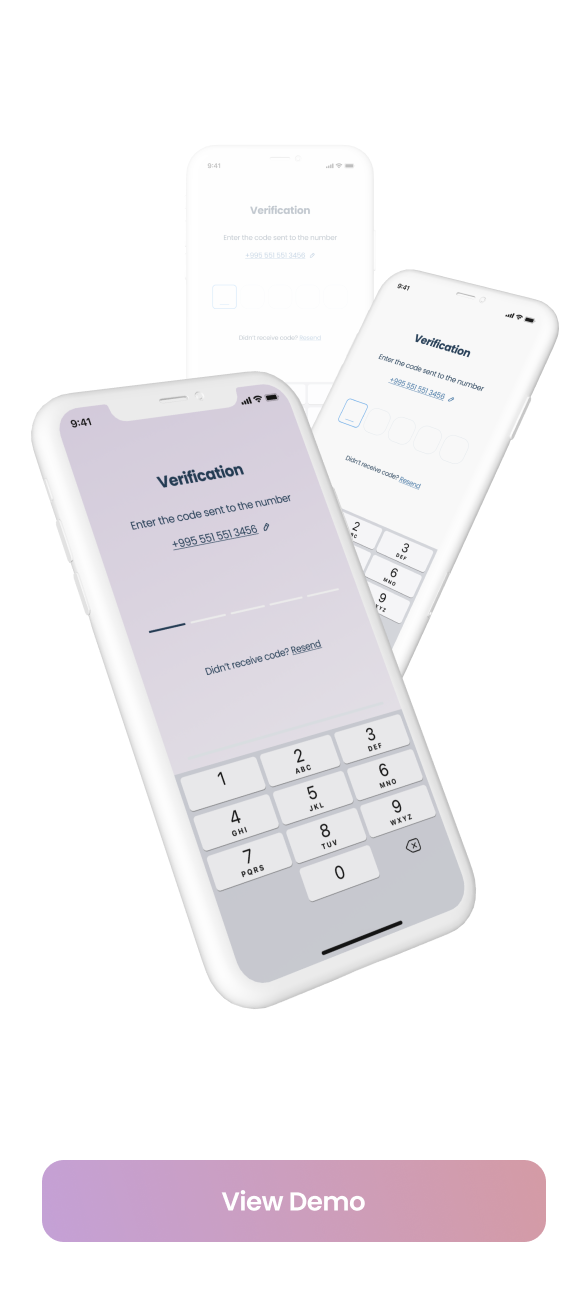
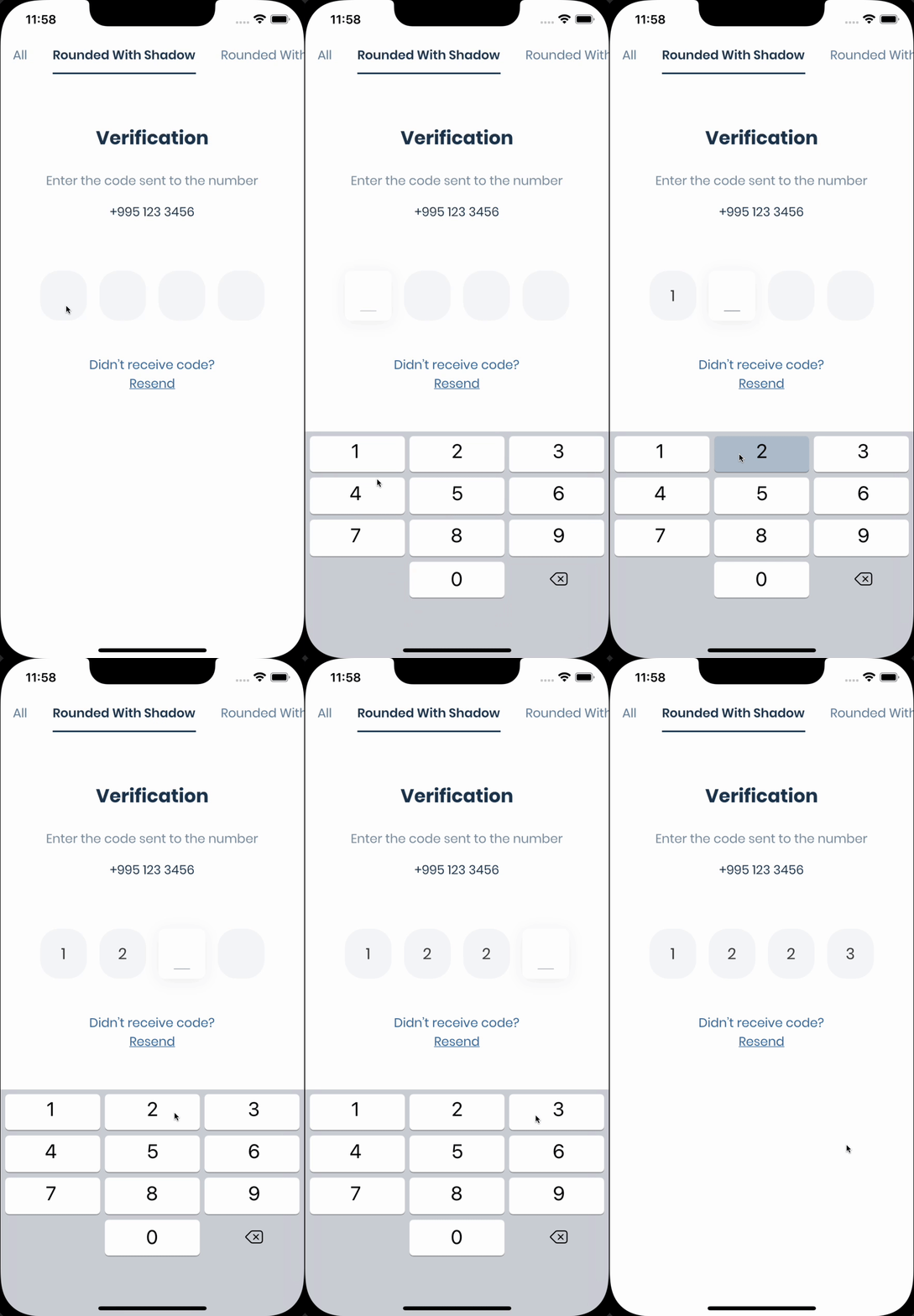
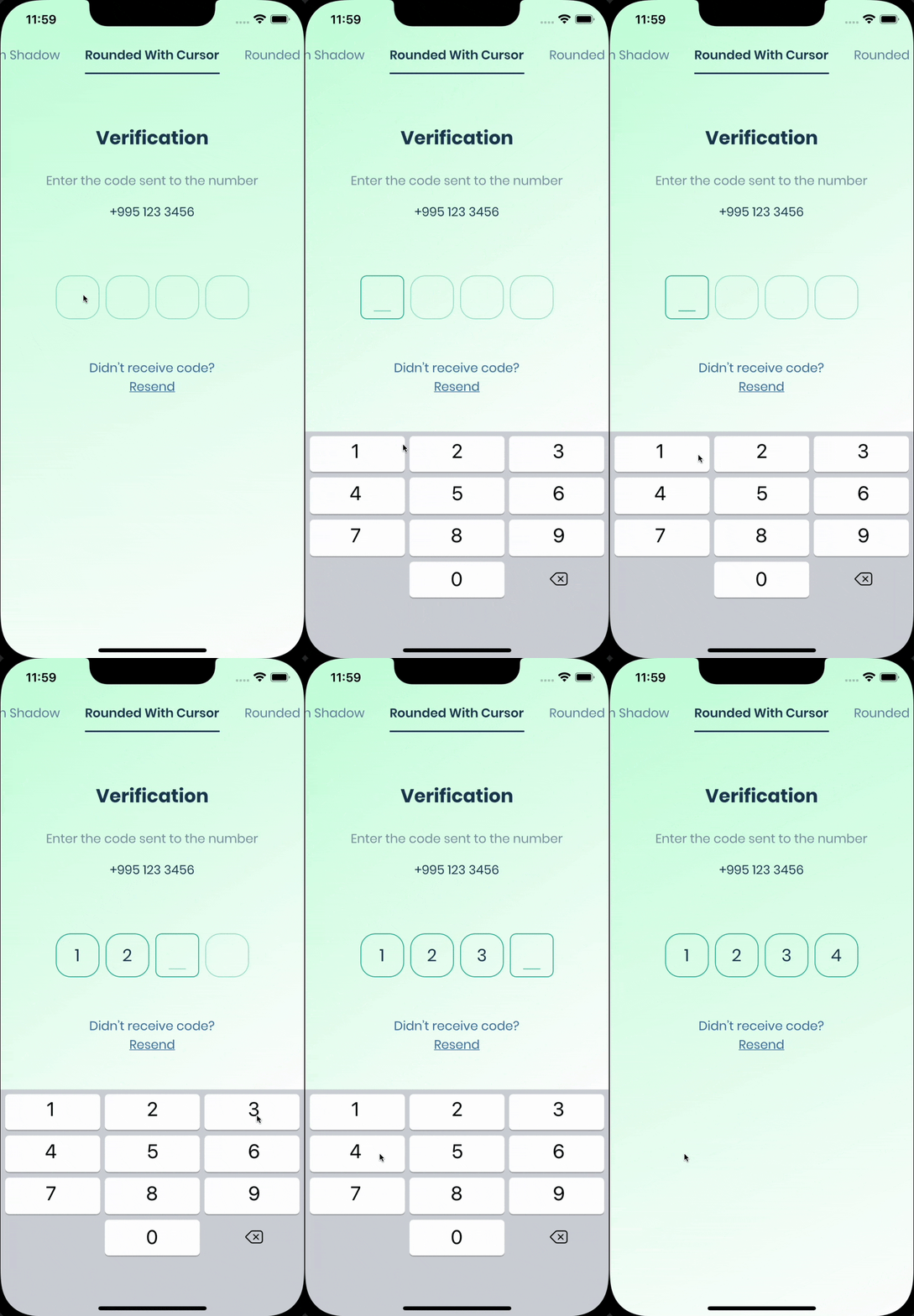
| [Live Demo](https://rebrand.ly/6390b8) | Rounded With Shadows | Rounded With Cursor |
| - | - | - |
| <a href="https://rebrand.ly/6390b8"><img width="300" src="https://user-images.githubusercontent.com/26390946/155666045-aa93bf48-f8e7-407c-bb19-bc247d9e12bd.png"/></a> | <img width="300" src="https://user-images.githubusercontent.com/26390946/155599527-fe934f2c-5124-4754-bbf6-bb97d55a77c0.gif"/> | <img width="300" src="https://user-images.githubusercontent.com/26390946/155599870-03387689-7be2-4a30-8e6f-90136a0515be.gif"/> |

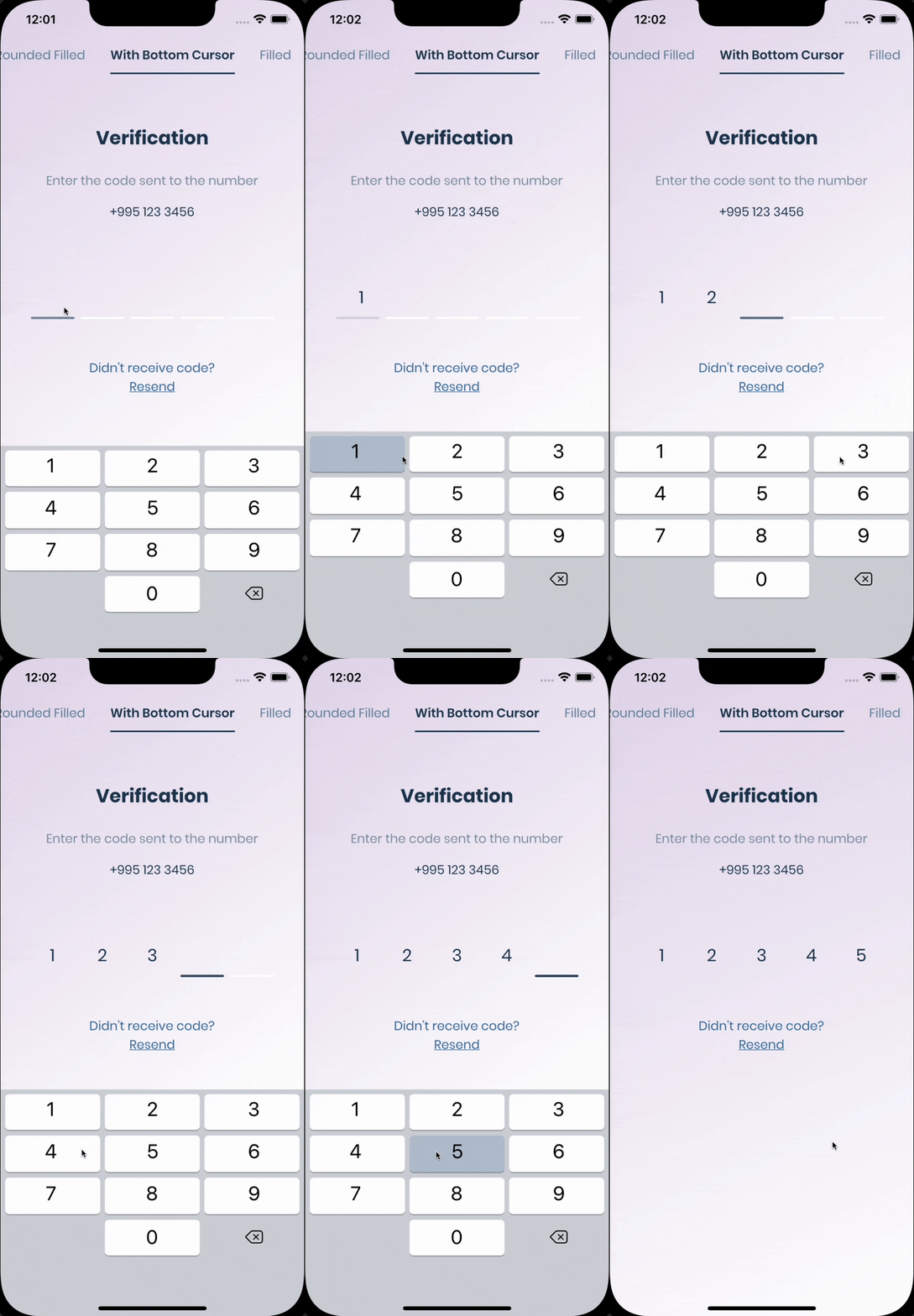
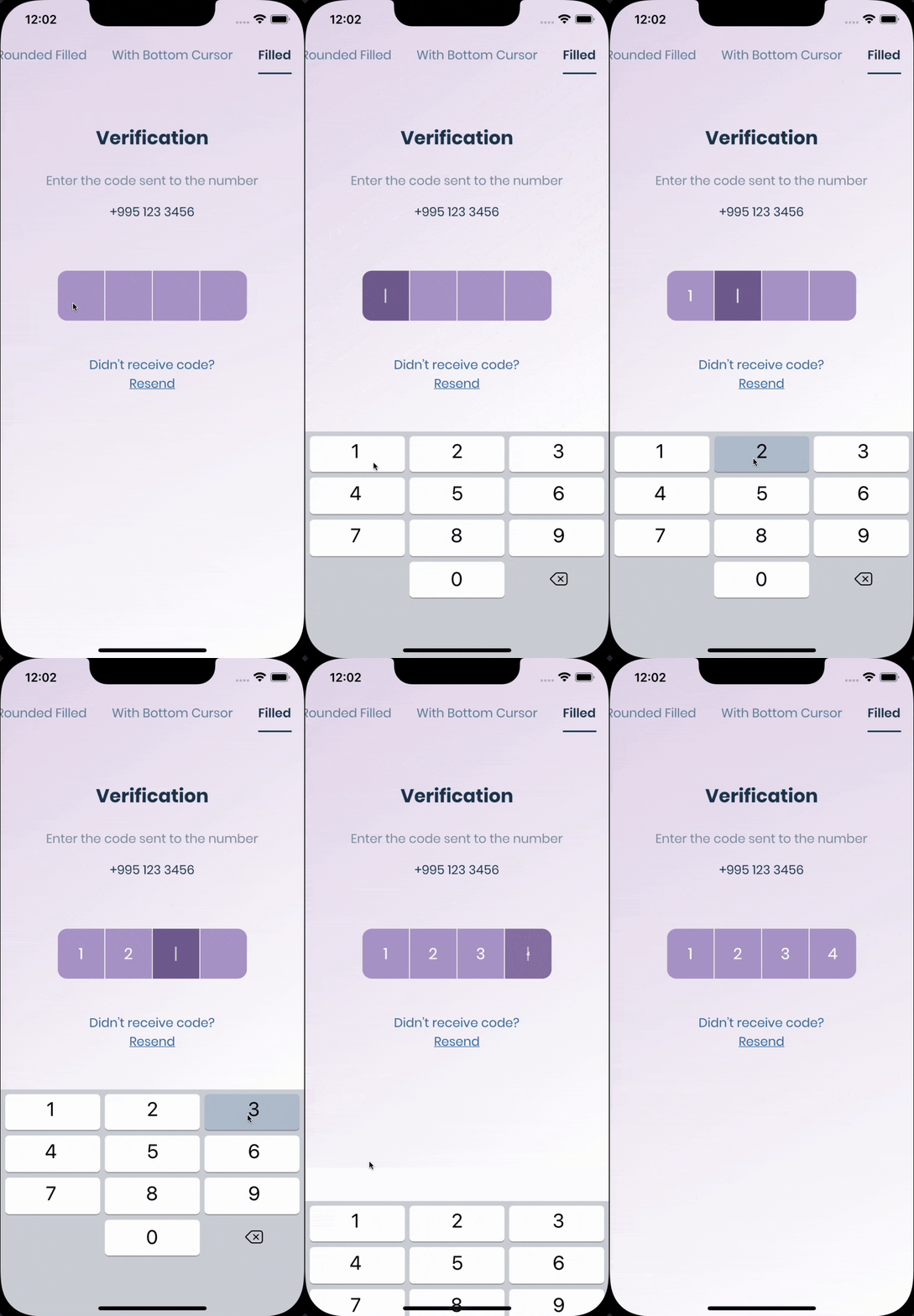
| Rounded Filled | With Bottom Cursor | Filled |
| - | - | - |
| <img width="300" src="https://user-images.githubusercontent.com/26390946/155600099-d0a02f55-09e6-4142-92de-066cd71cf211.gif"/> | <img width="300" src="https://user-images.githubusercontent.com/26390946/155600276-0380b3b4-3d9c-4ea8-87d0-4f7ebd86e460.gif"/> | <img width="300" src="https://user-images.githubusercontent.com/26390946/155600427-901c1eae-e565-4cf8-a338-8ac40eb1149c.gif"/> |

## Getting Started

The pin has 6 states `default` `focused`, `submitted`, `following`, `disabled`, `error`, you can customize each state by specifying theme parameter.
Pin smoothly animates from one state to another automatically.
`PinTheme Class`


| Property    |    Default/Type    |
|-------------|:------------------:|
| width       |        56.0        |
| height      |        60.0        |
| textStyle   |    TextStyle()     |
| margin      | EdgeInsetsGeometry |
| padding     | EdgeInsetsGeometry |
| constraints |   BoxConstraints   |

You can use standard Pinput like so

```dart
Widget buildPinPut() {
  return Pinput(
    onCompleted: (pin) => print(pin),
  );
}
```

If you want to customize it, create `defaultPinTheme` first.

```dart
final defaultPinTheme = PinTheme(
  width: 56,
  height: 56,
  textStyle: TextStyle(fontSize: 20, color: Color.fromRGBO(30, 60, 87, 1), fontWeight: FontWeight.w600),
  decoration: BoxDecoration(
    border: Border.all(color: Color.fromRGBO(234, 239, 243, 1)),
    borderRadius: BorderRadius.circular(20),
  ),
);
```

if you want all pins to be the same don't pass other theme parameters,
If not, create `focusedPinTheme`, `submittedPinTheme`, `followingPinTheme`, `errorPinTheme` from `defaultPinTheme`

```dart
final focusedPinTheme = defaultPinTheme.copyDecorationWith(
  border: Border.all(color: Color.fromRGBO(114, 178, 238, 1)),
  borderRadius: BorderRadius.circular(8),
);

final submittedPinTheme = defaultPinTheme.copyWith(
  decoration: defaultPinTheme.decoration.copyWith(
    color: Color.fromRGBO(234, 239, 243, 1),
  ),
);
```

Put everything together

```dart
final defaultPinTheme = PinTheme(
  width: 56,
  height: 56,
  textStyle: TextStyle(fontSize: 20, color: Color.fromRGBO(30, 60, 87, 1), fontWeight: FontWeight.w600),
  decoration: BoxDecoration(
    border: Border.all(color: Color.fromRGBO(234, 239, 243, 1)),
    borderRadius: BorderRadius.circular(20),
  ),
);

final focusedPinTheme = defaultPinTheme.copyDecorationWith(
  border: Border.all(color: Color.fromRGBO(114, 178, 238, 1)),
  borderRadius: BorderRadius.circular(8),
);

final submittedPinTheme = defaultPinTheme.copyWith(
  decoration: defaultPinTheme.decoration.copyWith(
    color: Color.fromRGBO(234, 239, 243, 1),
  ),
);

return Pinput(
defaultPinTheme: defaultPinTheme,
focusedPinTheme: focusedPinTheme,
submittedPinTheme: submittedPinTheme,
validator: (s) {
return s == '2222' ? null : 'Pin is incorrect';
},
pinputAutovalidateMode: PinputAutovalidateMode.onSubmit,
showCursor: true,
onCompleted: (pin) => print(pin),
);
```

## SMS Autofill

### iOS

Works out of the box, by tapping the code on top of the keyboard

### Android

If you are using [firebase_auth](https://firebase.flutter.dev/docs/auth/phone#verificationcompleted) you have to set `controller'`s value in `verificationCompleted` callback, here is an example code:
``` dart
    Pinput(
      controller: pinController,
    );
```
And set pinController's value in `verificationCompleted` callback:
``` dart
    await FirebaseAuth.instance.verifyPhoneNumber(
      verificationCompleted: (PhoneAuthCredential credential) {
        pinController.setText(credential.smsCode);
      },
      verificationFailed: (FirebaseAuthException e) {},
      codeSent: (String verificationId, int? resendToken) {},
      codeAutoRetrievalTimeout: (String verificationId) {},
    );
```
---
If you aren't using firebase_auth, you have two options, [SMS Retriever API](https://developers.google.com/identity/sms-retriever/overview?hl=en) and [SMS User Consent API](https://developers.google.com/identity/sms-retriever/user-consent/overview),

[SmartAuth](https://pub.dev/packages/smart_auth) is a wrapper package for Flutter for these APIs, so go ahead and add it as a dependency.

###### SMS Retriever API

To use Retriever API you need the App signature - [guide](https://stackoverflow.com/questions/53849023/android-sms-retriever-api-computing-apps-hash-string-problem)

`Note that The App Signature might be different for debug and release mode`

Once you get the app signature, you should include it in the SMS message in you backend like so:

SMS example:
```
Your ExampleApp code is: 123456
kg+TZ3A5qzS
```
[Example Code](/example/lib/demo/sms_retriever_api_example.dart)

Sms code will be automatically applied, without user interaction.

###### SMS User Consent API

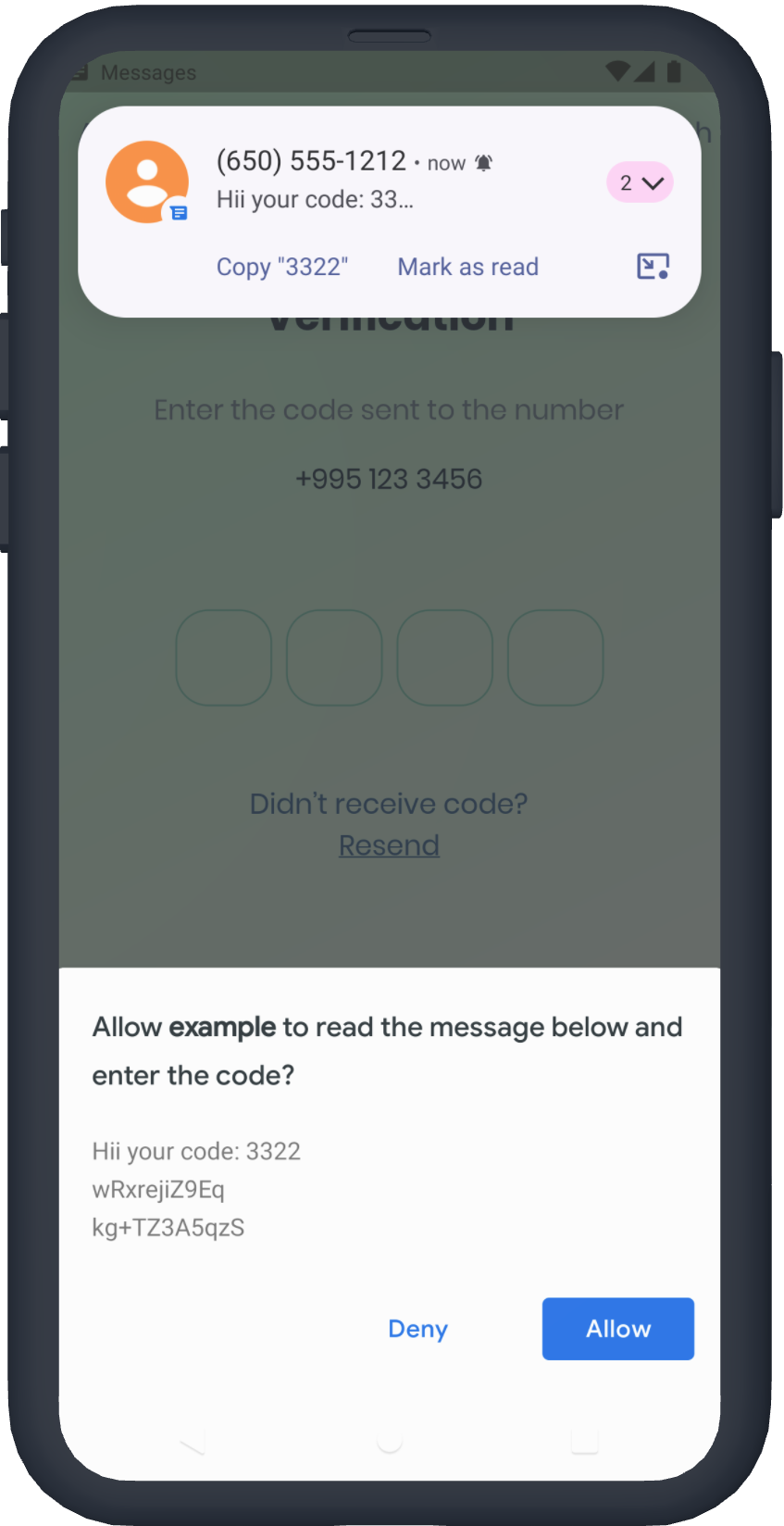
You don't need the App signature, the user will be prompted to confirm reading the message
[Example Code](/example/lib/demo/user_consent_api_example.dart)

<img src="https://user-images.githubusercontent.com/26390946/158870589-a2d631fa-55d7-487f-8c30-d378bab4c21d.png" style="height: 700px; width: auto; image-rendering: pixelated;" alt="Request Hint" />

## See Example app for more [templates](https://github.com/Tkko/Flutter_PinPut/tree/master/example/lib)

## Tips

- #### Controller

```dart
/// Create Controller  
final pinController = TextEditingController();

/// Set text programmatically  
pinController.setText('1222');

/// Append typed character, useful if you are using custom keyboard  
pinController.append('1', 4);

/// Delete last character  
pinController.delete();

/// Don't call setText, append, delete in build method, this is just illustration.  

return Pinput(
  controller: pinController,  
);  
```

- #### Focus

```dart
/// Create FocusNode  
final pinputFocusNode = FocusNode();

/// Focus pinput  
pinputFocusNode.requestFocus();

/// UnFocus pinput  
pinputFocusNode.unfocus();

/// Don't call requestFocus, unfocus in build method, this is just illustration.  

return Pinput(
  focusNode: pinputFocusNode,
);  
```

- #### Validation

```dart
/// Create key
final formKey = GlobalKey<FormState>();

/// Validate manually
/// Don't call validate in build method, this is just illustration.
formKey.currentState!.validate();

return Form(
  key: formKey,
  child: Pinput(
  // Without Validator
  // If true error state will be applied no matter what validator returns
  forceErrorState: true,
  // Text will be displayed under the Pinput
  errorText: 'Error',

  /// ------------
  /// With Validator
  /// Auto validate after user tap on keyboard done button, or completes Pinput
  pinputAutovalidateMode: PinputAutovalidateMode.onSubmit,
  validator: (pin) {
    if (pin == '2224') return null;

    /// Text will be displayed under the Pinput
    return 'Pin is incorrect';
    },
  ),
);
```

## FAQ

#### autofill isn't working on iOS?

- Make sure you are using real device, not simulator
- Temporary replace Pinput with TextField, and check if autofill works. If, not it's probably a
  problem with SMS you are getting, autofill doesn't work with most of the languages
- If you are using non stable version of Flutter that might be cause because something might be
  broken inside the Framework

#### are you using firebase_auth?

You should set `controller'`s value in `verificationCompleted` callback, here is an example code:
``` dart
    Pinput(
      controller: pinController,
    );
    
    await FirebaseAuth.instance.verifyPhoneNumber(
      verificationCompleted: (PhoneAuthCredential credential) {
        pinController.setText(credential.smsCode);
      },
      verificationFailed: (FirebaseAuthException e) {},
      codeSent: (String verificationId, int? resendToken) {},
      codeAutoRetrievalTimeout: (String verificationId) {},
    );
```

## Changelog
#### 7.0.0 · 24/08/2026

- **BREAKING**: migrated from `package:flutter/material.dart` to [`material_ui`](https://pub.dev/packages/material_ui).
  Material was decoupled from the Flutter SDK; the in-SDK copy is frozen and scheduled for removal
  ([flutter/flutter#184093](https://github.com/flutter/flutter/issues/184093),
  [flutter/flutter#172942](https://github.com/flutter/flutter/issues/172942)).
- Fixes "No Material widget found" on Flutter 3.47 for apps using `material_ui`
  ([#237](https://github.com/Tkko/Flutter_Pinput/issues/237)) — `debugCheckHasMaterial` matches the ancestor by exact
  type, so a `material_ui` `Scaffold` never satisfied the legacy check.
- **BREAKING**: requires Flutter >= 3.44.0 and Dart >= 3.12.0 (the floor `material_ui` declares). Apps still on
  `package:flutter/material.dart` should stay on 6.x.

#### 6.0.2 · 4/01/2026

- Added Prelude.so sponsorship badge

#### 6.0.1 · 25/11/2025

- fix: removed hintLocales [PR](https://github.com/Tkko/Flutter_Pinput/pull/224)

#### 6.0.0 · 18/11/2025

- feat: add hintLocales
- feat: add showErrorWhenFocused [PR](https://github.com/Tkko/Flutter_Pinput/pull/202)
  by [stefanschaller](https://github.com/stefanschaller)
- feat: add onTapUpOutside [PR](https://github.com/Tkko/Flutter_Pinput/pull/222)
  by [ChreSyr](https://github.com/ChreSyr)
- feat: add onFocus to Semantics widget [PR](https://github.com/Tkko/Flutter_Pinput/pull/214)
  by [SebastianWaloszek](https://github.com/SebastianWaloszek)
- fixed ios deletion [issue](https://github.com/Tkko/Flutter_Pinput/issues/218)

#### 5.0.2 · 01/09/2025

- feat: add enableInteractiveSelection parameter
  flag - [PR](https://github.com/Tkko/Flutter_Pinput/pull/216)
  by [bybabek](https://github.com/bybabek)

#### 5.0.1 · 15/01/2025

- fix: makes Semantics responsive to `enabled`
  flag - [PR](https://github.com/Tkko/Flutter_Pinput/pull/201)
  by [sharabiddin](https://github.com/sharabiddin)

#### 5.0.0 · 7/06/2024

- Implemented Pinput.builder to build custom Pinput fields
- Migrated deprecated imperative apply of Flutter's Gradle plugins example app
- Removed smart_auth dependency which was responsible for SMS autofill (Not everyone might need it
  and it was causing some issues)
- [Migration guide](MIGRATION.md)

#### 4.0.0 · 10/02/2024

- Fixed RECEIVER_EXPORTED exception in android SDK 34 PR
- Fix "Namespace not specified" error when upgrading to AGP 8.0 PR
- Updated readme

#### 3.0.1 · 25/08/2023

- Fixed contextMenuBuilder

#### 3.0.0 · 03/08/2023

- Replaced `separator` and `separatorPositions` with `separatorBuilder`

  | Property | Meaning/Default |
          |--------------------------|:---------------:|
  | separatorBuilder | (_) => const SizedBox(width: 8)|

#### 2.3.0 · 24/07/2023

- Fixed AGP 4.2<= compatibility in smart_auth
- Updated SDK constraints
- Updated default SMS code matcher regex length to 8 digits

#### 2.2.31 · 22/02/2023

### Added:

| Property                      | Meaning/Default |
|-------------------------------|:---------------:|
| enableIMEPersonalizedLearning |      false      |

Whether to enable that the IME update personalized data such as typing history and user dictionary
data.
This flag only affects Android. On iOS, there is no equivalent flag.

#### 2.2.30 · 15/02/2023

- Fixed "TapDownDetails not match the corresponding type" on Flutter's master
  channel - [issue](https://github.com/Tkko/Flutter_Pinput/issues/124)

#### 2.2.30 · 15/02/2023

- Fixed "TapDownDetails not match the corresponding type" on Flutter's master
  channel - [issue](https://github.com/Tkko/Flutter_Pinput/issues/124)

#### 2.2.23 · 25/01/2023

- Added correct SDK constraints
- Improved readme

#### 2.2.22 · 25/01/2023

- Removed FocusTrapArea
- Removed ToolbarOptions
- Added contextMenuBuilder, which is replacement of ToolbarOptions
- Added onTapOutside callback, which is invoked when a tap is detected outside of the Pinput
- Fixed text selection behavior

#### 2.2.21 · 29/12/2022

- Fixed the case where app was crashing while reading the OTP

#### 2.2.19 · 19/12/2022

- Improved changelog
- Added better demo screenshots

#### 2.2.18 · 19/12/2022

- Added warning for [FocusTrapArea issue](https://github.com/Tkko/Flutter_Pinput/issues/98)
- Improved changelog

#### 2.2.17 · 19/12/2022

- Added demo screenshot for pub
- Added funding URLs

#### 2.2.16 · 06/10/2022

- Improved Docs

#### 2.2.15 · 06/10/2022

- Improved Docs

#### 2.2.14 · 06/10/2022

- Improved Example

#### 2.2.13 · 03/10/2022

- Bumped minimum Flutter SDK version to 2.0.0
- Added

| Property                 | Meaning/Default |
|--------------------------|:---------------:|
| isCursorAnimationEnabled |      true       |

#### 2.2.12 · 05/08/2022

- Added

| Property          |                      Meaning/Default                       |
|-------------------|:----------------------------------------------------------:|
| senderPhoneNumber | null / Optional parameter for Android SMS User Consent API |

#### 2.2.11 · 14/06/2022

- Fixed `smsCodeMatcher` ([PR](https://github.com/Tkko/Flutter_Pinput/pull/94))

#### 2.2.10 · 31/05/2022

- When this widget receives focus and is not completely visible (for example scrolled partially off
  the screen or overlapped by the keyboard)
  then it will attempt to make itself visible by scrolling a surrounding [Scrollable], if one is
  present. This value controls how far from the edges of a [Scrollable] the TextField will be
  positioned after the scroll.

| Property      |  Meaning/Default   |
|---------------|:------------------:|
| scrollPadding | EdgeInsets.all(20) |

#### 2.2.9 · 16/05/2022

- onCompleted mot called
- Added tests

#### 2.2.8 · 13/05/2022

- Fixed dart 2.17 hints

#### 2.2.7 · 04/04/2022

- Option to listen for multiple sms on android

| Property                      | Meaning/Default |
|-------------------------------|:---------------:|
| listenForMultipleSmsOnAndroid |      false      |

#### 2.2.6 · 02/04/2022

- Updated smart_auth
- Updated readme

#### 2.2.5 · 28/03/2022

Added

| Property           |     Meaning/Default      |
|--------------------|:------------------------:|
| crossAxisAlignment | CrossAxisAlignment.start |

#### 2.2.4 · 21/03/2022

- Fixed onClipboardFound

#### 2.2.3 · 19/03/2022

Added Android SMS Autofill support

| Property                 |                                       Meaning/Default                                       |
|--------------------------|:-------------------------------------------------------------------------------------------:|
| androidSmsAutofillMethod |                          Options to enable SMS autofill on Android                          |
| smsCodeMatcher           | Used to extract code from SMS for Android Autofill if [androidSmsAutofillMethod] is enabled |

#### 2.1.4 · 06/03/2022

Updated docs

Added

| Property               |                                          Meaning/Default                                           |
|------------------------|:--------------------------------------------------------------------------------------------------:|
| Validator              |                              To validate Pinput with or without Form                               |
| pinputAutovalidateMode |                                  PinputAutovalidateMode.onSubmit                                   |
| errorBuilder           |                           To build custom error widget under the Pinput                            |
| errorTextStyle         |                       Standard error text style, displayed under the Pinput                        |
| toolbarEnabled         |               If true, paste button will appear on longPress, doubleTap event / true               |
| forceErrorState        | If true [errorPinTheme] will be applied and [errorText] will be displayed under the Pinput / false |
| errorText              |                        Text displayed under the Pinput if Pinput is invalid                        |

#### 2.0.4 · 03/03/2022

- Updated docs
- Added onLongPress

#### 2.0.3 · 02/03/2022

- Updated readme.

#### 2.0.2 · 25/02/2022

Sorry guys this version will break your code 💙 Introduced PinTheme class to control state of the
individual pin easily, see readme's Getting Started section for examples.

- Refactored, renamed some properties.
- Added new Pinput examples
- With long press user can paste from clipboard

##### Changes

| Old                      |            New             |
|--------------------------|:--------------------------:|
| onSubmit                 |        onCompleted         |
| fieldsCount              |           length           |
| obscureText              |     obscuringCharacter     |
| obscureText              |     obscuringCharacter     |
| eachFieldHeight          |      PinTheme.height       |
| eachFieldWidth           |       PinTheme.width       |
| eachFieldConstraints     |    PinTheme.constraints    |
| disabledDecoration       | PinTheme.disabledPinTheme  |
| followingFieldDecoration | PinTheme.followingPinTheme |
| selectedFieldDecoration  |  PinTheme.focusedPinTheme  |
| submittedFieldDecoration | PinTheme.submittedPinTheme |
| eachFieldMargin          |      PinTheme.margin       |
| eachFieldPadding         |      PinTheme.padding      |

#### 1.2.1 · 10/09/2021

🔥🚀 Merged PRs and Fixed common issues

#### 1.2.0 · 03/13/2021

🔥🚀 Now PinPut supports custom numpad.(See demos)
Added `checkClipboard` property

#### 1.1.0 · 03/02/2021

🔥🚀 Migrated to Null safety

#### 1.0.0 · 01/14/2021

🔥🚀 Updated Example, Increased package version to `1.0.0` in order to make it more trustful

#### 0.2.6 · 10/09/2020

🔥🚀 Added `cursor`, `preFilledWidget`, `mainAxisSize` and `autovalidateMode` properties.

#### 0.2.5 · 08/30/2020

🔥🚀 Added fake `cursor`, `separatorPositions`, `separator` and optimized project with the help of
community. credits to @[furaiev](https://github.com/furaiev), @[Holofox](https://github.com/Holofox)
,

#### 0.2.4 · 05/19/2020

🔥🚀 Fixed Focus problems. Updated readme.

#### 0.2.3 · 04/12/2020

🔥🚀 Fixed Focus on click after back button click

#### 0.2.2 · 04/09/2020

🔥🚀 Fixed Demo urls

#### 0.2.1 · 04/09/2020

🔥🚀 Minor fixes and demos

#### 0.2.0 · 04/07/2020

🔥🚀 Added some useful Documentation

#### 0.2.0-dev.1 · 04/07/2020

🔥🚀 Breaking changes, changed widget building logic so now it supports:

- Backspace on keyboard
- Every pixel customization
- Nice animations
- Form validation
- Ios auto fill · testing needed

#### 0.1.10 -02/08/2019

👍 With the help of community: @xportation

* Added Set autofocus on the first field when the attribute is defined|

#### 0.1.9 · 07/02/2019

* Added

| Property | Default/Meaning       |
|----------|-----------------------|
| onClear  | Clear button callback |

#### 0.1.8 · 06/14/2019

👍 With the help of community: @datvo0110, @almeynman

* Fixed minor bugs
* Added

| Property        | Default/Meaning |
|-----------------|-----------------|
| containerHeight | 100.0           |

#### 0.1.7 · 05/12/2019

👍 With the help of community: @datvo0110, @mwgriffiths88, @inromualdo

* Fixed minor bugs, check clipboard when app is resumed...
* Added Properties ability to hide keyboard & custumize more

| Property           | Default/Meaning         |
|--------------------|-------------------------|
| textCapitalization | TextCapitalization.none |

#### 0.1.6 · 01/17/2019

* Added Properties ability to hide keyboard & custumize more

| Property        | Default/Meaning                                 |
|-----------------|-------------------------------------------------|
| clearButtonIcon | Icon(Icons.backspace, size: 30)                 |
| pasteButtonIcon | Icon(Icons.content_paste, size: 30)             |
| unFocusWhen     | Default is False, True to hide keyboard         |
| textStyle       | TextStyle(fontSize: 30)                         |
| spaceBetween    | space between fields Default: 10.0              |
| inputDecoration | Ability to style field's border, padding etc... |

#### 0.1.5 · 12/17/2018

* Added Copy From Clipboard functionality if copied text length is equal to fields count

| Property        | Default             |
|-----------------|---------------------|
| pasteButtonIcon | Icons.content_paste |

*Note that

clearButtonEnabled will change with actionButtonEnabled in next release, right now if it is true
both clear and paste functionality works

#### 0.1.4 · 10/31/2018

* Added

| Property  | Default |
|-----------|---------|
| autoFocus | true    |

#### 0.1.3+1 · 11026/2018

* Minor fixes

#### 0.1.3 · 10/26/2018

* Transformed plugin to MVVM pattern
* Fixed onSubmit call when all fields aren't filled
* Updated Demo
* Added

| Property           | Default         |
|--------------------|-----------------|
| clearButtonIcon    | Icons.backspace |
| clearButtonEnabled | true            |
| clearButtonColor   | 0xFF66BB6A      |

#### 0.1.2 · 10/24/2018

* Added

| Property       | Default |
|----------------|:-------:|
| borderRadius   |   5.0   |
| keybaordType   | number  |
| keyboardAction |  next   |

#### 0.1.1 · 10/24/2018

* Added

| Property      | Default  |
|---------------|:--------:|
| onSubmit      | Function |
| fieldsCount   |    4     |
| isTextObscure |  false   |
| fontSize      |   40.0   |

#### 0.0.1 · 10/24/2018

* Initial release, working base functionality