# popover 0.5.1
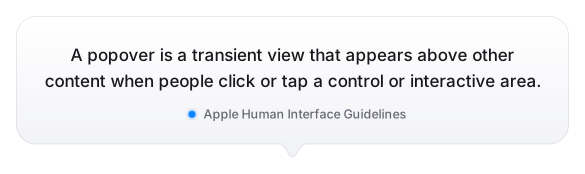
A popover is a transient view that appears above other content onscreen when you tap a control or in an area.
## Installing
```
export PUB_HOSTED_URL=https://pub.mirror.p-hatan.com
flutter pub add popover
```
Published: 2026-10-12T20:11:03.251282Z
Expected archive SHA-256: 0bad70fe7dd7b182b8358719c1d50092a54f010e612fee1380c7f2302c6d3d3b
Available in cache; verification: upstream_checksum
## Direct dependencies
- flutter: map[sdk:flutter]
## Package README (untrusted upstream documentation)
# Popover
A Flutter popover in the style of iOS: a box with an arrow pointing at the
widget that opened it. `showPopover` pushes a route on the root navigator,
measures the widget behind the `context` you pass, and places the body above,
below or beside it. It runs on iOS, Android, macOS, Windows, Linux and the
web, and depends only on `package:flutter/widgets.dart`.
## Install
```bash
flutter pub add popover
```
Dart 3.13 and Flutter 3.47 or newer.
## Quick start
Call `showPopover` with the context of the widget the arrow should point at:
```dart
import 'package:flutter/material.dart';
import 'package:popover/popover.dart';
class MenuButton extends StatelessWidget {
const MenuButton({super.key});
@override
Widget build(BuildContext context) {
return TextButton(
onPressed: () async {
final choice = await showPopover(
context: context,
width: 160,
height: 112,
bodyBuilder: (context) => Material(
type: MaterialType.transparency,
child: Column(
children: [
for (final item in ['Copy', 'Share'])
ListTile(
title: Text(item),
onTap: () => Navigator.pop(context, item),
),
],
),
),
);
debugPrint('Picked $choice');
},
child: const Text('Menu'),
);
}
}
```
`showPopover` returns the value passed to `Navigator.pop`, or `null` when the
user taps outside. `example/lib/main.dart` places nine buttons across the
screen. Run it with `cd example && flutter run`.
## Popover widget
`Popover` keeps a popover in the widget tree. Its `child` is the anchor, and
a `PopoverController` opens and closes it:
```dart
class ShareButton extends StatefulWidget {
const ShareButton({super.key});
@override
State createState() => _ShareButtonState();
}
class _ShareButtonState extends State {
final _controller = PopoverController();
@override
void dispose() {
_controller.dispose();
super.dispose();
}
@override
Widget build(BuildContext context) {
return Popover(
controller: _controller,
semanticsLabel: 'Share',
content: (context) => const ShareMenu(),
child: TextButton(
onPressed: _controller.toggle,
child: const Text('Share'),
),
);
}
}
```
`show`, `hide` and `toggle` open and close it, and `isOpen` turns false when
the user closes it with a tap outside, Esc or the back gesture. `onPop` runs
whenever it pops. `Popover` takes the other arguments of `showPopover`, and
they apply when it opens. A new `content` rebuilds an open popover. When
`Popover` leaves the tree, its popover closes without the closing animation
and `isOpen` stays true, so it opens again when a `Popover` with the same
controller comes back.
## Material and Cupertino
Flutter 3.47 moved Material and Cupertino into the
[`material_ui`](https://pub.dev/packages/material_ui) and
[`cupertino_ui`](https://pub.dev/packages/cupertino_ui) packages, whose classes
differ from the ones in `package:flutter/material.dart` and
`package:flutter/cupertino.dart`. Since 0.5.0 popover depends on none of them
and works in a `MaterialApp` or a `CupertinoApp` from either source.
The body is not wrapped in a `Material`. `InkWell`, `ListTile`, `TextField`,
`Checkbox` and the other widgets that need one throw
`No Material widget found` unless you wrap the body in the `Material` of your
UI library, as the quick start does. Use `MaterialType.transparency`, since an
opaque `Material` covers the glass background.
`showPopover` captures `Theme`, `DefaultTextStyle`, `IconTheme` and the other
inherited themes at `context` and applies them to the body, as `showDialog`
does. The body gets the text and icon style in effect where it was opened: the
`AppBar` foreground color when opened from an `AppBar` action, and
`MaterialApp`'s red debug style when `context` has no `Material` ancestor. A
`Material` wrapper resets the text to the theme's `bodyMedium`. An `IconTheme`
around the body resets the icons.
Cupertino widgets such as `CupertinoListTile` need no wrapper.
`barrierLabel` is the screen reader label of the barrier and defaults to
`'Dismiss'`. For a localized one, pass
`MaterialLocalizations.of(context).modalBarrierDismissLabel` or
`CupertinoLocalizations.of(context).modalBarrierDismissLabel`.
## Style and theme
`PopoverStyle` holds how a popover looks and moves: `arrowStyle`,
`backgroundColor`, `brightness`, `barrierColor`, `radius`, `shadow`,
`arrowWidth`, `arrowHeight`, `transition` and `transitionDuration`. Every
field is optional, and a field left null falls back to the native default of
the platform, described in the sections below. Pass a style per popover with
`style:`, or set one for a whole subtree with `PopoverTheme`:
```dart
PopoverTheme(
data: const PopoverStyle(radius: 16),
child: MaterialApp(home: const HomePage()),
);
showPopover(
context: context,
style: const PopoverStyle(arrowStyle: PopoverArrowStyle.triangle),
bodyBuilder: (context) => const Text('Hello'),
);
```
The style at the call is merged on top of the theme, so its non-null fields
win. A null field keeps what is below it, so a field set in the theme cannot
be cleared per call: a theme `backgroundColor` turns the glass off for every
popover below it, and a theme `brightness` turns off the contrast with the
text. `shadow: const []` removes the shadow. Popovers opened from inside a
popover see the same theme.
## Arrow style
`arrowStyle` picks the shape. `PopoverArrowStyle.apple` draws the native
outline. On iOS that is the iOS 26 popover: Apple's continuous corners with a
34 point radius and a 26 by 13 arrow whose tip is rounded and whose sides flow
into the body. On macOS it is the macOS 26 `NSPopover`: 20 point corners and an
arrow with an arc for a tip. Next to a corner the arrow merges into it, as on
the native platforms. The outlines repeat the mask paths UIKit and AppKit draw,
checked against paths dumped from an iOS simulator and from macOS, and the
default shadows are measured from both.
`PopoverArrowStyle.triangle` is the sharp triangle with 8 point corners from
earlier versions. `PopoverArrowStyle.adaptive`, the default, picks `apple` on
iOS, iPadOS and macOS and `triangle` everywhere else, on the web by the
host OS. `arrowWidth`, `arrowHeight`, `radius` and `shadow` override the
defaults of either shape, for example `PopoverStyle(radius: 13)` for the
corners of iOS before version 26.
## Background and dark mode
With the `apple` shape the default background is the Liquid Glass of iOS 26
and macOS 26: the content behind the popover shows through, blurred and
tinted, and a light rim runs along the outline. The blur, the tint and the rim
are fitted to native popovers captured over 22 backgrounds in light and dark
mode, and match them within a few levels of brightness on flat colors. Native
glass also bends the light near the outline and adapts to a wide area behind
it. The popover does neither, so fine detail such as text behind it blurs more
evenly than on iOS. The `triangle` shape gets white, or `Color(0xFF2C2C2E)` in
dark mode.
Light or dark follows the text color the body inherits from `context`: dark
text gets a light background, light text a dark one, with the switch at the
gray `Color(0xFF858585)`, where both backgrounds give the same contrast. So the
body stays readable in an app that forces a light or a dark theme. Without an inherited
text color it follows the system setting. `brightness` overrides both, and
`backgroundColor` replaces the glass with a solid color. A `Material` around
the body resets its text to the theme's `bodyMedium`, so pass `brightness`
when you open the popover from a place with a different text color, such as
an `AppBar` with a colored background.
iOS and macOS do not dim the screen behind a popover, so the barrier is
transparent with the `apple` shape and dims to `Color(0x80000000)` with the
`triangle`.
## Placement
The popover is placed the way `UIPopoverPresentationController` and
`NSPopover` place theirs. The rules were measured on iOS 26 simulators and
macOS 26.
`direction` is the preferred side: `PopoverDirection.bottom` by default, or
`top`, `left` or `right`. Left and right stay physical in right-to-left apps.
When the popover does not fit there, it opens on the opposite side. On macOS
it then tries the two perpendicular sides, like `NSPopover`. When it fits
nowhere, it takes the preferred or the opposite side, whichever has more room,
and the body shrinks to fit, so a scrollable body scrolls.
The popover stays inside the safe area and above the keyboard, with Apple's
margins: 10 on iPhone, 19 at the sides, 30 at the top and 10 at the bottom on
iPad, 13 on macOS. Android, Windows, Linux and the web use the iPhone margin.
Flutter web picks the rules of the host OS, so it gets the macOS rules on a
Mac.
Along the side it opens on, the body centers on the anchor and slides to stay
on screen. Outside macOS, a popover on the left or the right may cover the
anchor up to its center, as UIKit does. An anchor that is partly or fully off
screen is moved onto the screen edge first. The popover follows the anchor
when it moves, scrolls or the screen rotates.
`width`, `height` and `constraints` size the body and are capped by the room
available. `arrowDxOffset` and
`arrowDyOffset` move the point the arrow aims at. `contentDxOffset` and
`contentDyOffset` widen and heighten the anchor, which moves a popover that
opens to the right or below.
## Dismissing
A tap on the barrier closes the popover. `barrierDismissible: false` keeps it
open, and the style's `barrierColor` replaces the default tint. With
`allowClicksOnBackground: true`, taps pass through the barrier to the widgets
behind it and `barrierDismissible` is ignored. `onPop` runs whenever the
route pops.
`requestFocus: false` stops the popover from taking focus, so an open
keyboard stays up.
## Keyboard and accessibility
Esc closes the popover on every platform, as it closes an `NSPopover`, unless
`barrierDismissible` is false or `allowClicksOnBackground` is true. While
the popover is open, Tab moves through its body only, and when it closes,
focus goes back to the widget that had it. `requestFocus: false` leaves focus
where it is.
Screen readers see the popover, not the screen behind it. On iOS, Android and
macOS they also reach the barrier last, labeled with `barrierLabel`, which
closes the popover with a tap or the dismiss gesture. Flutter leaves the
barrier out of the semantics tree on Windows and Linux. `semanticsLabel` names the popover, and VoiceOver
and TalkBack announce the name when it opens, as they announce the title of a
dialog:
```dart
showPopover(
context: context,
semanticsLabel: 'Share',
bodyBuilder: (context) => const ShareMenu(),
);
```
## Animation
The popover fades in over the style's `transitionDuration`, 200 ms by
default. `PopoverTransition.scale`, the default `transition`, also grows the
body from the arrow.
With the `apple` shape on iOS it moves like an iOS 26 popover instead: it
scales up from the arrow tip while its outline grows from 100 points to its
full height, on the spring UIKit uses, and closes on UIKit's softer closing
spring. The springs are read from the animations UIKit attaches to a
popover, so opening takes 494 ms and closing 516 ms. A `transitionDuration`
you pass applies to both. While closing, iOS also squashes the glass
vertically for the first few frames, which the popover does not.
On macOS it moves like `NSPopover`: it scales up from the arrow tip and fades
in on a spring over 440 ms, and shrinks back into the tip over 200 ms. These
springs are fitted to `NSPopover` recorded at 120 frames per second.
`PopoverTransition.other` turns the scaling off. `popoverTransitionBuilder`
replaces the fade. Avoid `Opacity` and `FadeTransition` in it with the glass
background: Impeller gives a backdrop filter inside an opacity layer nothing
to blur, so the glass shows as a flat tint until the fade ends.
```dart
showPopover(
context: context,
bodyBuilder: (context) => const Text('Hello'),
popoverTransitionBuilder: (animation, child) =>
SlideTransition(
position: Tween(begin: const Offset(0, -0.1), end: Offset.zero)
.animate(animation),
child: child,
),
);
```
## Using with AI agents
The package ships a skill that teaches coding agents how to use it: which API
to pick, the anchor context, the `Material` wrapper, the native defaults and
the pitfalls. Install it into your app with the `skills` tool:
```sh
dart run skills@ get --package popover
```
It lands in `.agents/skills/`, or in `.claude/skills/` with `--agent claude`.
For the analyzer, pub.dev search and hot reload, add the Dart and Flutter MCP
server, which comes with the Dart SDK:
```sh
claude mcp add dart -- dart mcp-server
```
## Migrating from 0.4
0.5.0 changes how the popover looks and behaves on iOS, iPadOS and macOS, and
how its body is built everywhere.
- The body is no longer wrapped in a `Material`. Wrap it in
`Material(type: MaterialType.transparency)` when it holds `InkWell`,
`ListTile`, `TextField` or other widgets that need one.
- The body inherits `Theme`, `DefaultTextStyle` and `IconTheme` from
`context`. A `Material` around it resets the text style.
- `barrierLabel` defaults to `'Dismiss'`. Pass a localized label if you need
one.
- The popover is placed like a native one: it flips, slides and shrinks to
stay inside the safe area, and `width`, `height` and `constraints` are
capped by the room available.
- On Apple platforms the defaults are native: the `apple` outline, Liquid
Glass, no dimming behind the popover and the native springs. Dark mode
follows the text color the body inherits.
- The look moved into `PopoverStyle`: `transition`, `backgroundColor`,
`barrierColor`, `transitionDuration`, `radius`, `shadow`, `arrowWidth` and
`arrowHeight` go into `style:` instead of `showPopover`. `PopoverTheme`
sets them for a whole subtree.
- `key` and the deprecated `isParentAlive` are gone from `showPopover`.
Before and after:
```dart
// 0.4
showPopover(
context: context,
radius: 12,
arrowHeight: 15,
backgroundColor: Colors.white,
bodyBuilder: (context) => const MyBody(),
);
// 0.5
showPopover(
context: context,
style: const PopoverStyle(
radius: 12,
arrowHeight: 15,
backgroundColor: Colors.white,
),
bodyBuilder: (context) => const MyBody(),
);
```
To keep the look of 0.4 everywhere, set it once at the root:
```dart
PopoverTheme(
data: const PopoverStyle(
arrowStyle: PopoverArrowStyle.triangle,
backgroundColor: Color(0xFFFFFFFF),
),
child: MaterialApp(home: const HomePage()),
);
```
and wrap bodies in a `Material` where they need one.
With the `triangle` style the barrier still dims to `Color(0x80000000)` and
the popover still fades and scales in over 200 ms.
## Contributing
The project accepts pull requests, not issues. Open a PR with a fix or a
reproduction in the example app. [CONTRIBUTING.md](CONTRIBUTING.md) covers
tests, the mutation test gate and versioning.
## License
MIT. See the [LICENSE](LICENSE) file.
## Changelog
## [0.5.1] - 12.10.2026
- Text between the grays `Color(0xFF858585)` and `Color(0xFF9D9D9D)` in luminance, such as `#8E8E93`, `#999999` or the iOS system blue `#0A84FF`, now gets the dark background by default instead of the light one. The switch moved from a luminance of 0.34 to 0.23, where the text has the same contrast against both backgrounds. `#999999` text was 2.9:1 on the white triangle and is 4.9:1 on the dark one.
## [0.5.0] - 12.10.2026
- Breaking: the minimum versions are Flutter 3.47.0 and Dart 3.13.0, up from Flutter 3.35.0 and Dart 3.9.0.
- Breaking: the look of a popover moved into `PopoverStyle`, passed as `style:` to `showPopover` and `Popover`: `arrowStyle`, `backgroundColor`, `brightness`, `barrierColor`, `radius`, `shadow`, `arrowWidth`, `arrowHeight`, `transition` and `transitionDuration`. The new `PopoverTheme` sets a style for a whole subtree, and the style at the call wins over it. `showPopover` no longer takes `key` or the deprecated `isParentAlive`. `PopoverTransitionBuilder`, the type of `popoverTransitionBuilder`, is now exported. The README has a before and after.
- Breaking: the popover depends only on `package:flutter/widgets.dart` and works with `package:flutter/material.dart`, `package:flutter/cupertino.dart`, `package:material_ui` and `package:cupertino_ui`. 0.4.0 threw `No MaterialLocalizations found` in a `CupertinoApp` ([#113](https://github.com/minikin/popover/pull/113)).(thanks [@livtanong](https://github.com/livtanong)).
- The body is no longer wrapped in a `Material`. Wrap it in the `Material` of your UI library if it contains Material widgets that require one, such as `InkWell`, `ListTile`, `TextField`, `Checkbox` or `Switch`, with `MaterialType.transparency` so the glass background shows.
- `barrierLabel` defaults to `'Dismiss'` instead of `MaterialLocalizations.modalBarrierDismissLabel`. Pass a localized label if you need one.
- Inherited themes (`Theme`, `DefaultTextStyle`, `IconTheme` and others) are captured from the calling `context` and applied to the body. The body text and icon styles are the ones in effect at `context`: the `AppBar` foreground color when opened from an `AppBar` action, and `MaterialApp`'s red debug text without a `Material` ancestor. A `Material` around the body resets the text to `textTheme.bodyMedium`.
- A translucent `backgroundColor` is painted once under the body instead of twice, so the body looks more transparent than before.
- Breaking: the popover is placed the way iOS, iPadOS and macOS place theirs. The rules come from `UIPopoverPresentationController` and `NSPopover` measured on iOS 26 simulators and macOS 26.
- It stays inside the safe area and above the keyboard. The margin is 10 on iPhone, Android, web, Windows and Linux. On iPad it is 19 at the sides, 30 at the top and 10 at the bottom, and on macOS 13.
- When the body fits on neither the preferred side nor the opposite one, it takes the side with more room and shrinks to fit, so a scrollable body scrolls. On macOS it first tries the two perpendicular sides, like `NSPopover`.
- Outside macOS, a popover on the left or the right may cover the anchor up to its center, as UIKit does.
- `width`, `height` and `constraints` are capped by the space available.
- The popover follows its anchor when the anchor moves, scrolls or the screen rotates, as UIKit does for a source view. When the anchor leaves the tree while the popover is open, for example in a lazy list, the popover stays where the anchor was last seen.
- An anchor partly or fully off screen is moved onto the screen edge first. UIKit does this below the bottom edge and beside the side edges but lets an anchor above the top edge push the popover off screen. The popover clamps on every edge.
- The `triangle` arrow stops short of the rounded corners. The `apple` arrow merges into a nearby corner, as UIKit and AppKit do.
- Flutter web follows the rules of the host OS, so it uses the macOS rules on a Mac.
- Breaking: on iOS, iPadOS and macOS the popover has the native shape by default. The new `arrowStyle` style field takes `PopoverArrowStyle.apple`, `triangle` or `adaptive`, the default, which is `apple` on Apple platforms and `triangle` elsewhere. Flutter web follows the host OS here too, so Safari on a Mac or an iPhone gets the `apple` shape.
- On iOS the `apple` outline repeats the mask path of `UIPopoverPresentationController` on iOS 26 element for element: continuous corners with a 34 point radius, a 26 by 13 arrow with a rounded tip and filleted sides, and the corner next to the arrow merging into it. A test compares it with 31 paths dumped from a simulator. Its default shadow, `BoxShadow(color: Color(0x6B000000), blurRadius: 210)`, matches the iOS shadow within one level of brightness.
- On macOS it repeats the `NSPopover` outline of macOS 26: 20 point corners, a 25.42 by 13 arrow with an arc for a tip, and AppKit's blend of the arrow into a nearby corner. A test compares it with 171 paths dumped from macOS. The default shadow, `BoxShadow(color: Color(0x40000000), blurRadius: 12, offset: Offset(0, 3.6))`, is fitted to a screenshot of `NSPopover`.
- `arrowWidth`, `arrowHeight`, `radius` and `shadow` are now nullable and default per style. Set `PopoverStyle(arrowStyle: PopoverArrowStyle.triangle)` for the previous look.
- Breaking: with the `apple` shape the default background is the Liquid Glass of iOS 26 and macOS 26, a blur of the content behind with a tint and a light rim, fitted to native popovers captured over 22 backgrounds in light and dark mode. `backgroundColor` is now nullable, and a color passed in replaces the glass. The `triangle` default stays white, or `Color(0xFF2C2C2E)` in dark mode.
- The new `brightness` style field picks light or dark. By default the background contrasts with the text color the body inherits from `context`, so an app that forces a light theme on a phone in dark mode gets a light popover. Without an inherited text color it follows the system setting.
- `barrierColor` is now nullable. It defaults to transparent for the `apple` shape, since iOS and macOS do not dim the screen behind a popover, and to `Color(0x80000000)` for the `triangle`.
- Fixed: the popover flipped and slid against the size of the first window, not the screen it is shown in. Near the right edge it could open off screen.
- Fixed: a flipped popover drew its shadow with the arrow on the original side.
- Fixed: with more than one `BoxShadow` in `shadow`, every shadow after the first was shifted by the popover's position again.
- With the `apple` shape on iOS the popover opens and closes like an iOS 26 popover: it scales up from the arrow tip while its outline grows from 100 points to its full height, then shrinks back. The springs, 494 ms to open and 516 ms to close, are read from the `CASpringAnimation` objects UIKit attaches to a popover. On macOS it scales up from the tip and fades in on a spring over 440 ms and shrinks back over 200 ms, fitted to a recording of `NSPopover`. `transitionDuration` is now nullable, and a duration passed in applies to both directions.
- Added a package skill, `skills/popover-usage/SKILL.md`, which `dart run skills@ get` installs for coding agents, and pub.dev topics.
- Added the `Popover` widget and `PopoverController`, which keep a popover in the widget tree with its anchor as `child`. `show`, `hide` and `toggle` open and close it, and the controller follows when the user closes it.
- Added `semanticsLabel`, which names the popover for screen readers. Tests now cover Esc closing the popover, Tab staying inside it, focus going back to where it was, and screen readers seeing only the popover and its barrier.
- Added a `Mutation Test` CI workflow over `lib/` that fails below the 75% threshold in `mutation_test.xml`. It runs in parallel shards and, on a pull request, mutates only the changed declarations.
- Added golden tests, rendered on Linux, and an `E2E` CI workflow that runs the example's integration test on iPhone, iPad, macOS, Windows and Linux, in Chrome and on an Android emulator, with screenshots and rotation.
- Rebuilt the example app with a Roadmap tab, an issue list with a Share menu, and a Playground tab with a direction switcher. The `E2E` workflow renders a demo image of the example on every platform.
## [0.4.0] - 23.10.2025
- Fixed memory leak by disposing CurvedAnimation in FadeTransitionWidget ([#105](https://github.com/minikin/popover/pull/105), [#106](https://github.com/minikin/popover/pull/106)).(thanks [@ZacharyYongBB](https://github.com/ZacharyYongBB)).
- Added ability to click on widgets behind the barrier ([#101](https://github.com/minikin/popover/pull/101)).(thanks [@mcquenji](https://github.com/mcquenji)).
- Updated minimum Flutter and Dart versions to 3.35.0+ and 3.9.0+ respectively.
## [0.3.1] - 10.00.2024
- Update minimum Flutter and Dart versions to 3.24.0+ and 3.5.0+ respectively.
## [0.3.0+1] - 19.05.2024
- Update README.
- Update web example to use flutter.js service worker bootstrapping.
## [0.3.0] - 08.02.2024
- Fixed [Half of the widget is not shown](https://github.com/minikin/popover/issues/83). (thanks [@zwett](https://github.com/zwett)).
## [0.2.9] - 08.12.2023
- Added `contentDxOffset`. (thanks [@kasyanyukd1995](https://github.com/kasyanyukd1995)).
## [0.2.8+2] - 01.03.2023
- Fix [`PopoverItem._configureRect()` throws trying to access unmounted context](https://github.com/minikin/popover/issues/63).(thanks [@moescs](https://github.com/moescs)).
## [0.2.8+1] - 05.02.2023
- Fix [`backgroundColor` only effects arrow](https://github.com/minikin/popover/issues/59).
## [0.2.8] - 02.01.2023
- **BREAKING**: Improve popover rendering. `isParentAlive` parameter was deprecated. (thanks [@VictorOhashi](https://github.com/VictorOhashi)).
## [0.2.7] - 23.10.2022
- Add `popoverTransitionBuilder`. Users can provide custom animation transition now. (thanks [@sanjidbillah](https://github.com/sanjidbillah)).
## [0.2.6+3] - 12.10.2021
- Fixed the bug that appears when the parent widget from which `Popover` was presented has been removed from a widget tree (thanks [@ajaxspace](https://github.com/ajaxspace)).
## [0.2.6+2] - 17.06.2021
- Fixed the bug that appears when you change window size while popover is opened (thanks [@whitebug](https://github.com/whitebug)).
## [0.2.6+1] - 21.05.2021
- Set minimum dart version to 2.12.0.
## [0.2.6] - 21.05.2021
- Fix constraints size for `PopoverDirection.top` & `PopoverDirection.bottom`.
## [0.2.5] - 18.05.2021
- Recalculate popover shape on context changes.
## [0.2.4] - 17.05.2021
- Parameters `arrowDyOffset`, `arrowDxOffset` and `contentDyOffset` now can be apply again.
- Fix [Popover breaks when opened to the right](https://github.com/minikin/popover/issues/17).
- Update example.
## [0.2.3] - 03.05.2021.
- Add `RouteSettings? routeSettings` parameter.
## [0.2.2] - 22.04.2021.
- Rebuild Popover on device orientation changes (thanks [@SanekLic](https://github.com/SanekLic), [@shcherbuk96](https://github.com/shcherbuk96)).
## [0.2.1] - 04.04.2021.
- Lower minimum version requirements for Dart and Flutter to pass pub.dev validation.
## [0.2.0] - 04.04.2021.
- Migrate to NNBD.
## [0.1.0] - 09.02.2021.
- **BREAKING**: Refactor popover implementation to have identical API to included in Flutter modal dialogs e.g. `showCupertinoDialog`
- docs: README updates
- docs: example application updates
## [0.0.5] - 08.02.2021.
- Add `Key key`, `barrierDismissible` and `showPopover`.
## [0.0.4] - 27.01.2021.
- Add `arrowDyOffset`, `arrowDxOffset` and `contentDyOffset` public parameters.
## [0.0.3] - 21.01.2021.
- A `child` widget can be wrapped in `InkWell` or `GestureDetector`.
## [0.0.2] - 18.01.2021.
- Update `PopoverItem`.
- Add `PopoverDirection` to exports.
- Add documentation.
## [0.0.1] - 10.01.2021.
- Initial release.