# pretty_qr_code 3.6.0
A highly customizable Flutter widget that makes it easy to render QR codes.
## Installing
```
export PUB_HOSTED_URL=https://pub.mirror.p-hatan.com
flutter pub add 'pretty_qr_code:3.6.0'
```
Published: 2026-01-31T14:55:43.669865Z
Expected archive SHA-256: 474f8a4512113fba06f14a6ec9bbf42353b4e651d7a520e3096f2a9b6bbe7a8a
Available in cache; verification: upstream_checksum
## Direct dependencies
- flutter: map[sdk:flutter]
- meta: ^1.7.0
- qr: ^3.0.1
## Package README (untrusted upstream documentation)
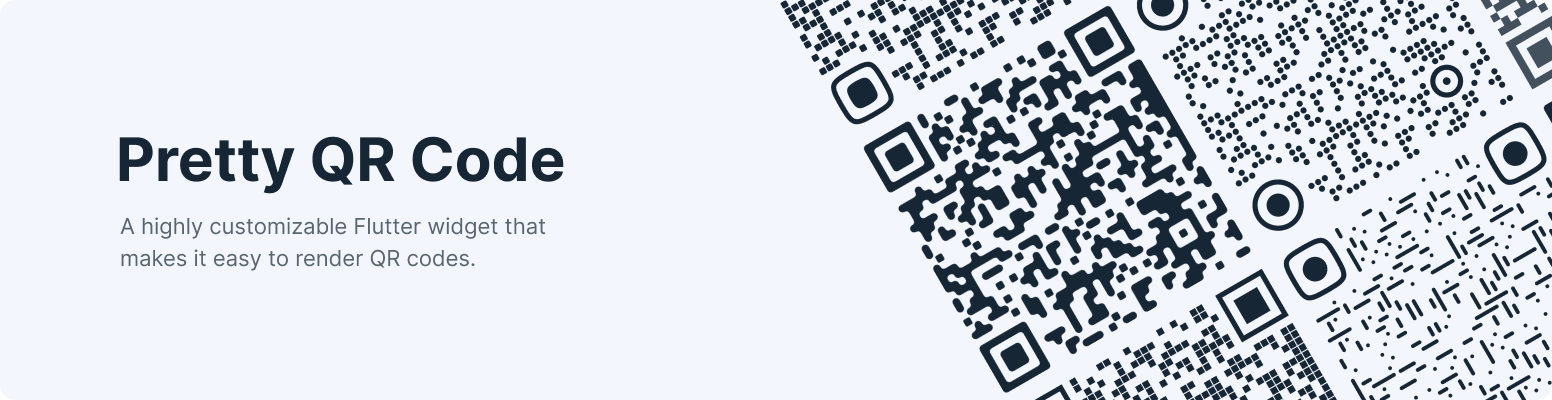
## Pretty QR Code


A highly customizable Flutter widget that makes it easy to render QR codes. Built on top of the [qr](https://pub.dev/packages/qr) package.
## Features
* [**Live Preview**](https://promops.github.io/flutter_pretty_qr/)
* **Shapes** - The widget provides functionality for rendering various built-in shapes, namely [smooth](https://pub.dev/documentation/pretty_qr_code/latest/pretty_qr_code/PrettyQrSmoothSymbol-class.html), [squares](https://pub.dev/documentation/pretty_qr_code/latest/pretty_qr_code/PrettyQrSquaresSymbol-class.html) and [dots](https://pub.dev/documentation/pretty_qr_code/latest/pretty_qr_code/PrettyQrDotsSymbol-class.html), or you can even create your patterns using the package API.
* **Themes** - Allows you easily switch between themes using the [material theme extension](https://pub.dev/documentation/pretty_qr_code/latest/pretty_qr_code/PrettyQrTheme-class.html).
* **Branding** - Configure the display of the embedded image and adjust its style to best fit your needs.
* **Exporting** - Save the QR сode as an image for sharing, embedding, or anything else.
* **Customization** - Customize the appearance by setting the shape color or filling with a [gradient](https://pub.dev/documentation/pretty_qr_code/latest/pretty_qr_code/PrettyQrBrush-class.html).
If you want to say thank you, star us on GitHub or like us on pub.dev.
## Usage
First, follow the [package installation instructions](https://pub.dev/packages/pretty_qr_code/install) and add a `PrettyQrView` widget to your app:
```dart
PrettyQrView.data(
data: 'lorem ipsum dolor sit amet',
decoration: const PrettyQrDecoration(
image: PrettyQrDecorationImage(
image: AssetImage('images/flutter.png'),
),
quietZone: PrettyQrQuietZone.standart,
),
)
```
If you want to pass non-string data or want to specify a QR version, consider using the default `PrettyQrView` constructor:
```dart
@protected
late QrImage qrImage;
@override
void initState() {
super.initState();
final qrCode = QrCode(
8,
QrErrorCorrectLevel.H,
)..addData('lorem ipsum dolor sit amet');
qrImage = QrImage(qrCode);
}
@override
Widget build(BuildContext context) {
return PrettyQrView(
qrImage: qrImage,
decoration: const PrettyQrDecoration(),
);
}
```
**Note:** Do _not_ create `QrImage` inside the `build` method; otherwise, you may have an undesired jank in the UI thread.
## Combine several styles
To combine multiple styles in a single QR code, you can use [PrettyQrCustomShape](https://pub.dev/documentation/pretty_qr_code/latest/pretty_qr_code/PrettyQrCustomShape-class.html), as shown in the example below:
```dart
PrettyQrView.data(
data: 'lorem ipsum dolor sit amet',
decoration: const PrettyQrDecoration(
shape: PrettyQrShape.custom(
PrettyQrSquaresSymbol(),
finderPattern: PrettyQrSmoothSymbol(),
alignmentPatterns: PrettyQrDotsSymbol(),
),
),
)
```
## Save the symbol as an image
You can save the QR code as an image using the [toImage](https://pub.dev/documentation/pretty_qr_code/latest/pretty_qr_code/PrettyQrImageExtension/toImage.html) or [toImageAsBytes](https://pub.dev/documentation/pretty_qr_code/latest/pretty_qr_code/PrettyQrImageExtension/toImageAsBytes.html) extension methods that apply to `QrImage`. Optionally, the `configuration` parameter may be used to set additional saving options, such as pixel ratio or text direction.
```dart
final qrCode = QrCode.fromData(
data: 'lorem ipsum dolor sit amet',
errorCorrectLevel: QrErrorCorrectLevel.H,
);
final qrImage = QrImage(qrCode);
final qrImageBytes = await qrImage.toImageAsBytes(
size: 512,
format: ImageByteFormat.png,
decoration: const PrettyQrDecoration(),
);
```
See the `example` folder for more code samples of the various possibilities.
## Contributing
Contributions are welcomed!
Here is a curated list of how you can help:
* Fix typos/grammar mistakes
* Report parts of the documentation that are unclear
* Report bugs and scenarios that are difficult to implement
## Planned for future release(s)
* ~~Quiet Zone~~
* ~~Gradient filling~~
* ~~Export as image~~
* ~~Error handling API~~
* ~~Background color for QR code~~
* ~~Timing Patterns and Alignment Patterns~~
* ~~Support custom clippers for embedded images ([#38](https://github.com/promops/flutter_pretty_qr/issues/38))~~
* Export as vector image ([#42](https://github.com/promops/flutter_pretty_qr/issues/42))
## Changelog
## 3.6.0
* Add configurable bounds for QR code shapes.
* Optimized QR code rendering for the simple shape variants.
* Add support custom clippers for embedded images [#38](https://github.com/promops/flutter_pretty_qr/issues/66).
## 3.5.0
* Added new patterns: [dots](https://pub.dev/documentation/pretty_qr_code/latest/pretty_qr_code/PrettyQrDotsSymbol-class.html) and [squares](https://pub.dev/documentation/pretty_qr_code/latest/pretty_qr_code/PrettyQrSquaresSymbol-class.html).
* Added support custom styles per QR components [#51](https://github.com/promops/flutter_pretty_qr/pull/62).
* **DEPRECATED**: `PrettyQrRoundedSymbol` shape is now deprecated in favor of the `PrettyQrSquaresSymbol`.
## 3.4.0
* Added quiet zone support [#44](https://github.com/promops/flutter_pretty_qr/pull/56).
* Updated web renderer detection [#55](https://github.com/promops/flutter_pretty_qr/pull/57).
* Added support compilation to WASM. Thanks to [s-philippov (#52)](https://github.com/promops/flutter_pretty_qr/pull/52).
## 3.3.0
* Added `PrettyQrBrush` gradient filling option [#40](https://github.com/promops/flutter_pretty_qr/pull/28).
* Added `PrettyQrTheme` extension [#37](https://github.com/promops/flutter_pretty_qr/pull/37).
* Added assert when platform does not support export.
## 3.2.1
* Fixed bug when errorBuilder was working incorrectly when data was changed.
## 3.2.0
* Added `errorBuilder` to `PrettyQrView.data` constructor.
## 3.1.0
* Optimize QR code repaints [#10](https://github.com/promops/flutter_pretty_qr/issues/10). Thanks to [nxtSwitch (#28)](https://github.com/promops/flutter_pretty_qr/pull/28).
* Added the ability to save code to an image with `toImage` and `toImageAsBytes` methods [#14](https://github.com/promops/flutter_pretty_qr/issues/14).
## 3.0.0
> Note: This release has breaking changes.
* Added `PrettyQrDecorationTween`.
* Added more options for embedding images.
* `PrettyQrDecorationImagePosition.embedded`
* `PrettyQrDecorationImagePosition.background`
* `PrettyQrDecorationImagePosition.foreground`
* Added core interfaces and refactor internal organization.
* Updated documentation and example to follow new naming conventions.
* **BREAKING**: Package now requires `qr` package `>=3.0.1`.
* Upgraded Dart SDK constraints to `>=2.17.0 <4.0.0`.
* Upgraded Flutter SDK constraints to `>=3.0.0 <4.0.0`.
* **DEPRECATED**: `PrettyQr` widget is now deprecated in favor of the `PrettyQrView` widget.
* Update example app.
* Added some new patterns:
* Rounded (`PrettyQrRoundedSymbol`)
* Smooth (`PrettyQrSmoothSymbol`)
* Fixed stripes between qr code modules, [#3](https://github.com/promops/flutter_pretty_qr/issues/3).
* Fixed embedded image loading: [#15](https://github.com/promops/flutter_pretty_qr/issues/15).
## 2.0.3
> Note: This release has breaking changes.
* **BREAKING**: Package now requires `qr` package `>=3.0.0`. Thanks to [joj3000 (#11)](https://github.com/promops/flutter_pretty_qr/pull/11).
* Upgraded Dart SDK constraints to `>=2.13.0 <3.0.0`.
## 2.0.2
* Added automatic detection of the minimum acceptable version number when the `typeNumber` option is omitted. Thanks to [SBNTT (#4)](https://github.com/promops/flutter_pretty_qr/pull/4).
## 2.0.1
* Added `qr` package to exports.
* Refactor internal organization.
## 2.0.0
> Note: This release has breaking changes.
* **BREAKING**: Package now requires `qr` package `>=2.0.0`.
* **BREAKING**: Мigrate to null-safety:
* Upgraded Dart SDK constraints to `>=2.12.0 <3.0.0`.
## 1.0.2
* Fixed QR code rebuild when no data changes. Thanks to [daniel-lucas-silva (#5)](https://github.com/promops/flutter_pretty_qr/pull/5).
## 1.0.1
* Removed unnecessary `print` from `PrettyQrCodePainter.paint`.
## 1.0.0
* Fixed QR code displaying without image.
## 0.0.8
* Added example project.
## 0.0.7
* Added support for embedded images.
* Updated screenshots and usage example.
## 0.0.6
* Fixed inner corners color.
## 0.0.5
* Fixed transparent background.
## 0.0.4
* Updated screenshots.
* Added rounding to the inner corners.
* Added a `PrettyQr.typeNumber` property.
## 0.0.3
* Updated package description.
## 0.0.2
* Added screenshots and usage example.
## 0.0.1
* Initial version of the library.