# smart_auth 3.2.0

Wrapper of Android SMS User Consent API, SMS Retriever API to read one time sms code, get user phone number, OTP, OTC, sms autofill, android autofill


## Installing
```
export PUB_HOSTED_URL=https://pub.mirror.p-hatan.com
flutter pub add 'smart_auth:3.2.0'
```
Published: 2025-01-01T13:02:12.823403Z
Expected archive SHA-256: a536423c50d71e9a311d16027346634d0deadd07dafc5b5606b46719cf6fb2b6

Available in cache; verification: upstream_checksum
## Direct dependencies
- flutter: map[sdk:flutter]

## Package README (untrusted upstream documentation)
<div align="center">
 <h1 align="center" style="font-size: 70px;">Flutter Smart Auth</h1>

<!--  Donations -->
 <a href="https://ko-fi.com/flutterman">
  <img width="300" src="https://user-images.githubusercontent.com/26390946/161375567-9e14cd0e-1675-4896-a576-a449b0bcd293.png">
 </a>
 <div align="center">
   <a href="https://www.buymeacoffee.com/fman">
    <img width="150" alt="buymeacoffee" src="https://user-images.githubusercontent.com/26390946/161375563-69c634fd-89d2-45ac-addd-931b03996b34.png">
  </a>
   <a href="https://ko-fi.com/flutterman">
    <img width="150" alt="Ko-fi" src="https://user-images.githubusercontent.com/26390946/161375565-e7d64410-bbcf-4a28-896b-7514e106478e.png">
  </a>
 </div>
<!--  Donations -->

<h3 align="center" style="font-size: 35px;">Need anything Flutter related? Reach out
on <a href="https://www.linkedin.com/in/thornike/">LinkedIn</a>
</h3>

[![Pub package](https://img.shields.io/pub/v/smart_auth.svg)](https://pub.dev/packages/smart_auth)
[![GitHub starts](https://img.shields.io/github/stars/tkko/flutter_smart_auth.svg?style=flat&logo=github&colorB=deeppink&label=stars)](https://github.com/tkko/flutter_smart_auth)
[![style: effective dart](https://img.shields.io/badge/style-effective_dart-40c4ff.svg)](https://github.com/tenhobi/effective_dart)
[![pub package](https://img.shields.io/badge/license-MIT-purple.svg)](https://opensource.org/licenses/MIT)

</div>


Flutter package for listening SMS code on Android, suggesting phone number, email, saving a
credential.

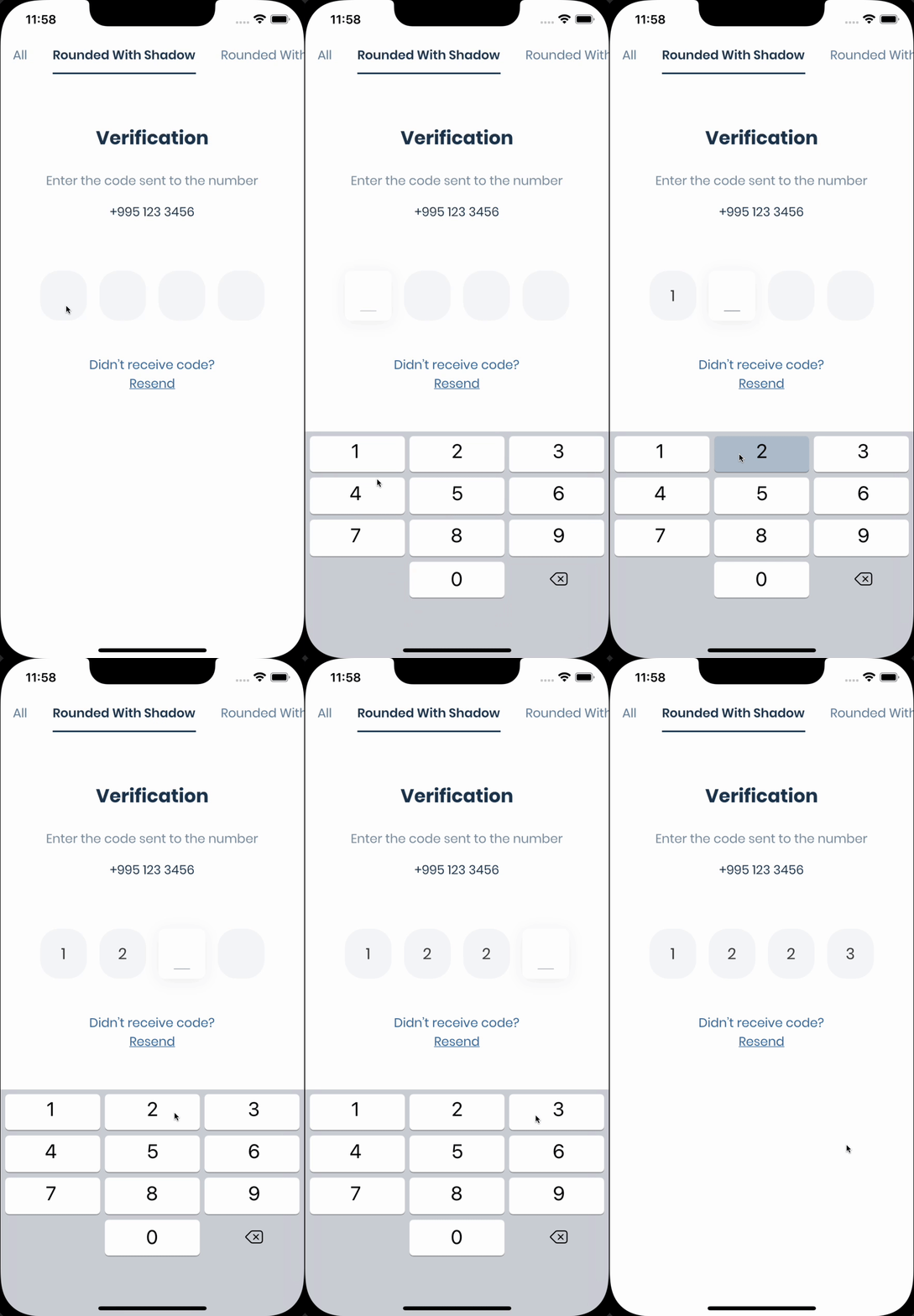
_If you need pin code input like shown below, take a look at
the [Pinput](https://github.com/Tkko/Flutter_Pinput) package._

<img src="https://user-images.githubusercontent.com/26390946/155599527-fe934f2c-5124-4754-bbf6-bb97d55a77c0.gif" width="160px"/>

## Features:

- Android SMS Autofill
    - SMS Retriever [API](https://developers.google.com/identity/sms-retriever/overview?hl=en)
    - SMS User
      Consent [API](https://developers.google.com/identity/sms-retriever/user-consent/overview)
- Showing Phone number
  hints [API](https://developers.google.com/identity/android-credential-manager)

## Support

Discord [Channel](https://rebrand.ly/qwc3s0d)

[Example](https://github.com/Tkko/flutter_smart_auth/blob/main/example/lib/main.dart)

Don't forget to give it a star ⭐

If you want to contribute to this project, please read the [contribution](CONTRIBUTING.md) guide.

## Requirements

#### 1. Set kotlin version to 1.8.0 or above and gradle plugin version to 8.3.2

If you are
using [legacy imperative apply](https://docs.flutter.dev/release/breaking-changes/flutter-gradle-plugin-apply)

```
// android/build.gradle
buildscript {
    ext.kotlin_version = '1.8.0'
    ...others

    dependencies {
        classpath 'com.android.tools.build:gradle:8.3.2'
        classpath "org.jetbrains.kotlin:kotlin-gradle-plugin:$kotlin_version"
    }
}
```

If you are using
new [declarative plugin approach](https://docs.gradle.org/8.5/userguide/plugins.html#sec:plugins_block)

```
// android/settings.gradle
plugins {
    id "org.jetbrains.kotlin.android" version "1.8.0" apply false
    id "com.android.application" version "8.3.2" apply false
    ...others
}
```

#### 2. Set gradle version to 8.4.0 or above - [more about gradle versions](https://developer.android.com/build/releases/gradle-plugin)

```
// android/gradle/wrapper/gradle-wrapper.properties
distributionUrl=https\://services.gradle.org/distributions/gradle-8.4-all.zip
```

#### 3. Set Java version to 11

```
// android/app/build.gradle
compileOptions {
    sourceCompatibility = JavaVersion.VERSION_11
    targetCompatibility = JavaVersion.VERSION_11
}

kotlinOptions {
    jvmTarget = '11'
}
```

## Getting Started

### Create instance of SmartAuth

```dart

final smartAuth = SmartAuth.instance;
```

### Request phone number hint - [Docs](https://developers.google.com/identity/phone-number-hint/android)

The Phone Number Hint API, a library powered by Google Play services, provides a frictionless way to
show a user’s (SIM-based) phone numbers as a hint.

The benefits to using Phone Number Hint include the following:

- No additional permission requests are needed
- Eliminates the need for the user to manually type in the phone number
- No Google account is needed
- Not directly tied to sign in/up workflows
- Wider support for Android versions compared to Autofill

```dart
void requestPhoneNumberHint() async {
  final res = await smartAuth.requestPhoneNumberHint();
  if (res.hasData) {
    // Use the phone number
  } else {
    // Handle error
  }
}
```

<img src="https://github.com/user-attachments/assets/efff8893-4ac4-4601-98b5-1fb10ae365a3" width="250px"/>

### Get SMS with User Consent [API](https://developers.google.com/identity/sms-retriever/user-consent/overview)

The SMS User Consent API complements the SMS Retriever API by allowing an app to prompt the user to
grant access to the content of a single SMS message. When a user gives consent, the app will then
have access to the entire message body to automatically complete SMS verification. The verification
flow looks like this:

1. A user initiates SMS verification in your app. Your app might prompt the user to provide a phone
   number manually or request the phone number hint by calling `requestPhoneNumberHint` method.
2. Your app makes a request to your server to verify the user's phone number. Depending on what
   information is available in your user database, this request might include the user's ID, the
   user's phone number, or both.
3. At the same time, your app calls the `getSmsWithUserConsentApi` to show the user a dialog to
   grant access to the SMS message.
4. Your server sends an SMS message to the user that includes a one-time code to be sent back to
   your server.
5. When the user's device receives the SMS message, the `getSmsWithUserConsentApi` will extract the
   one-time code from the message text and you have to send it back to your server.
7. Your server receives the one-time code from your app, verifies the code, and finally records that
   the user has successfully verified their account.

```dart
void getSmsWithUserConsentApi() async {
  final res = await smartAuth.getSmsWithUserConsentApi();
  if (res.hasData) {
    final code = res.requireData.code;

    /// The code can be null if the SMS was received but the code was not extracted from it
    if (code == null) return;
    //  Use the code
  } else if (res.isCanceled) {
    // User canceled the dialog
  } else {
    // handle the error
  }
}
```

<img src="https://github.com/user-attachments/assets/60ace6bc-6c28-43cf-ae1d-60f56aaae8d2" width="250px"/>

### Get SMS with SMS Retriever [API](https://developers.google.com/identity/sms-retriever/overview?hl=en)

With the SMS Retriever API, you can perform SMS-based user verification in your Android app
automatically, without requiring the user to manually type verification codes, and without requiring
any extra app permissions. When you implement automatic SMS verification in your app, the
verification flow looks like this:

<img src="https://github.com/user-attachments/assets/7daa8895-14d4-460f-b9e7-4710446788d3"/>

1. A user initiates SMS verification in your app. Your app might prompt the user to provide a phone
   number manually or request the phone number hint by calling `requestPhoneNumberHint` method.
2. Your app makes a request to your server to verify the user's phone number. Depending on what
   information is available in your user database, this request might include the user's ID, the
   user's phone number, or both.
3. At the same time, your app calls the `getSmsWithRetrieverApi` to begin listening for an SMS
   response from your server.
4. Your server sends an SMS message to the user that includes a one-time code to be sent back to
   your server, and a hash that identifies your app.
5. When the user's device receives the SMS message, Google Play services uses the app hash to
   determine that the message is intended for your app, and makes the message text available to your
   app through the SMS Retriever API.
6. The `getSmsWithRetrieverApi` will extract the one-time code from the message text and you have to
   send it back to your server.
7. Your server receives the one-time code from your app, verifies the code, and finally records that
   the user has successfully verified their account.

```dart
void getSmsWithRetrieverApi() async {
  final res = await smartAuth.getSmsWithRetrieverApi();
  if (res.hasData) {
    final code = res.requireData.code;

    /// The code can be null if the SMS was received but the code was not extracted from it
    if (code == null) return;
    //  Use the code
  } else {
    // handle the error
  }
}
```

### Dispose

The plugin automatically removes listeners after receiving the code, if not you can remove them by
calling the `removeUserConsentApiListener` or `removeSmsRetrieverApiListener` method.

```dart
void removeSmsListener() {
  smartAuth.removeUserConsentApiListener();
  // or
  smartAuth.removeSmsRetrieverApiListener();
}
```

## Changelog
#### 3.2.0 · 1/1/2025

- Fixed method type
  by [Dishank Jindal](https://github.com/dishankjindal1) - [PR](https://github.com/Tkko/flutter_smart_auth/pull/37)
- Removed unnecessary type declarations
- Removed unnecessary `exclude` from the `analyses_options.yaml`
- Replaced `flutter_lints` with `very_good_analysis` in the example app

#### 3.1.0 · 22/12/2024

- Lowered Java version to 11 for better compatibility
- Retracted version 3.0.0

#### 3.0.0 · 20/12/2024

- Improved readme by adding detailed instructions
- Improved the result returned from all methods

#### 3.0.0-beta.1 · 19/12/2024

- Upgraded Android Dependencies [PR](https://github.com/Tkko/flutter_smart_auth/pull/28) - with help
  of [OneXeor](https://github.com/OneXeor) 🙏
- Kotlin version 2.0.0
- gradle plugin 8.3.2
- android sdk 35
- core-ktx 1.15.0
- Java 21
- Removed fake support for other operating systems
- Migrated to Pigeon
- Added new Credentials
  Manager [API](https://developers.google.com/identity/android-credential-manager)
    - `requestPhoneNumberHint`
- Removed deprecated SmartLock API
    - `getCredential`
    - `saveCredential`
    - `deleteCredential`

#### 2.0.0 · 21/01/2024

- Fixed RECEIVER_EXPORTED exception in android SDK
  34 [PR](https://github.com/Tkko/flutter_smart_auth/pull/16)
- Fix "Namespace not specified" error when upgrading to AGP
  8.0 [PR](https://github.com/Tkko/flutter_smart_auth/pull/11)
- Updated readme
- Formatted example app

#### 1.1.1 · 24/07/2023

- Fixed AGP 4.2<= compatibility
- Updated SDK constraints
- Updated default SMS code matcher regex length to 8 digits

#### 1.1.0 · 12/05/2023

- Upgraded Gradle to 7.2.0
- Added GitHub Actions
    - Static Analysis

#### 1.0.8 · 29/12/2022

- Fixed Error receiving broadcast Intent

## 1.0.6

- Improved docs

## 1.0.5

- Remove downcast of Activity => FlutterActivity

## 1.0.4

- Replaced dart.io with foundation.dart

## 1.0.3

- Fake support of all operating systems, because other packages is depended on this one

## 1.0.1

- Fixed reinitializing listeners
- Fixed Typos

## 0.9.1

Initial Release

- Android Autofill**
    - SMS Retriever [API](https://developers.google.com/identity/sms-retriever/overview?hl=en)
    - SMS User
      Consent [API](https://developers.google.com/identity/sms-retriever/user-consent/overview)
- Showing Hint Dialog
- Getting Saved Credential
- Saving Credential
- Deleting Credential


