# toastification 3.2.0
Toastification is a Flutter package that allows you to easily show toast and notification messages in your application.
## Installing
```
export PUB_HOSTED_URL=https://pub.mirror.p-hatan.com
flutter pub add 'toastification:3.2.0'
```
Published: 2026-04-19T08:39:42.239894Z
Expected archive SHA-256: 66c96678e3dece8ba24de3ea31634bd65a80aaecb8105f9bafe946e5f0d7590a
Available in cache; verification: upstream_checksum
## Direct dependencies
- collection: ^1.18.0
- equatable: ^2.0.5
- flutter: map[sdk:flutter]
- pausable_timer: ^3.1.0+3
- uuid: ^4.5.0
## Package README (untrusted upstream documentation)
# Toastification
[](https://pub.dartlang.org/packages/toastification) [](https://codecov.io/gh/payam-zahedi/toastification)
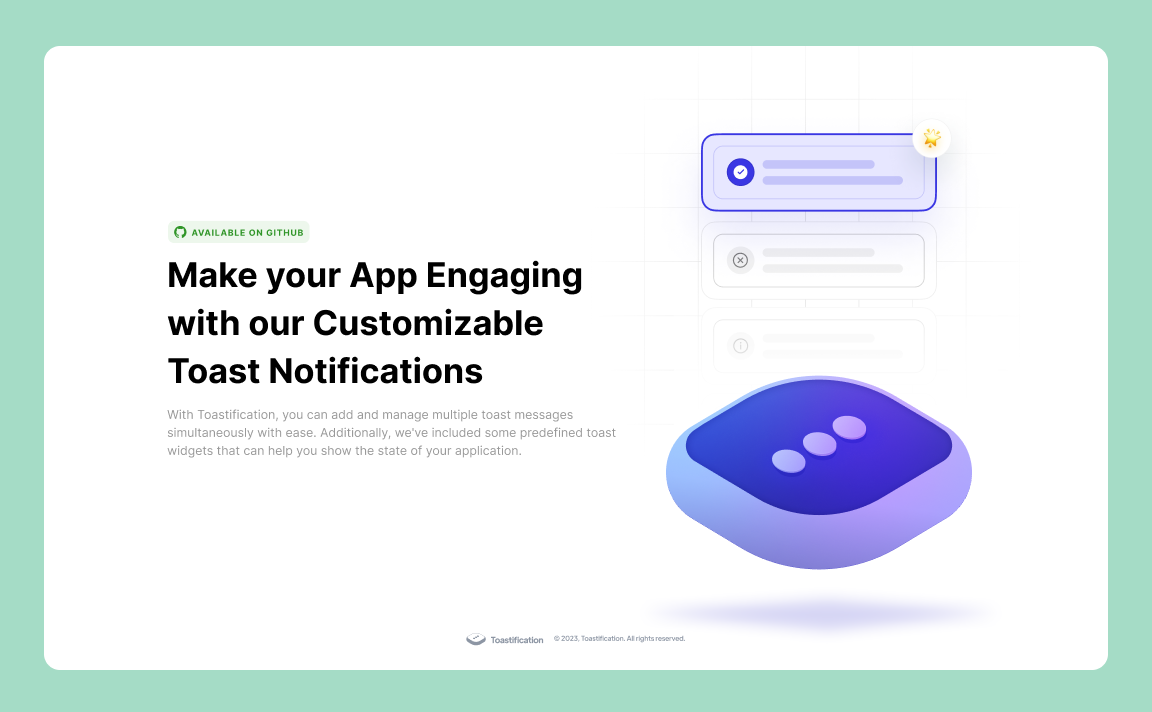
Toastification is a Flutter package that allows developers to easily display toast notifications in their apps. Toast notifications are a type of pop-up message that typically appear on the screen and disappear after a short amount of time. They are commonly used to display information, alerts, or confirmations to the user.
One of the advantages of the Toastification package is its ability to handle multiple toast messages. With Toastification, developers can display multiple toast notifications at once and display them in a queue. This means that if multiple notifications are triggered at the same time, they will be displayed one after the other, rather than overlapping on the screen.
Overall, Toastification is a useful package for Flutter developers who want to add toast notifications to their apps without having to write the code from scratch.
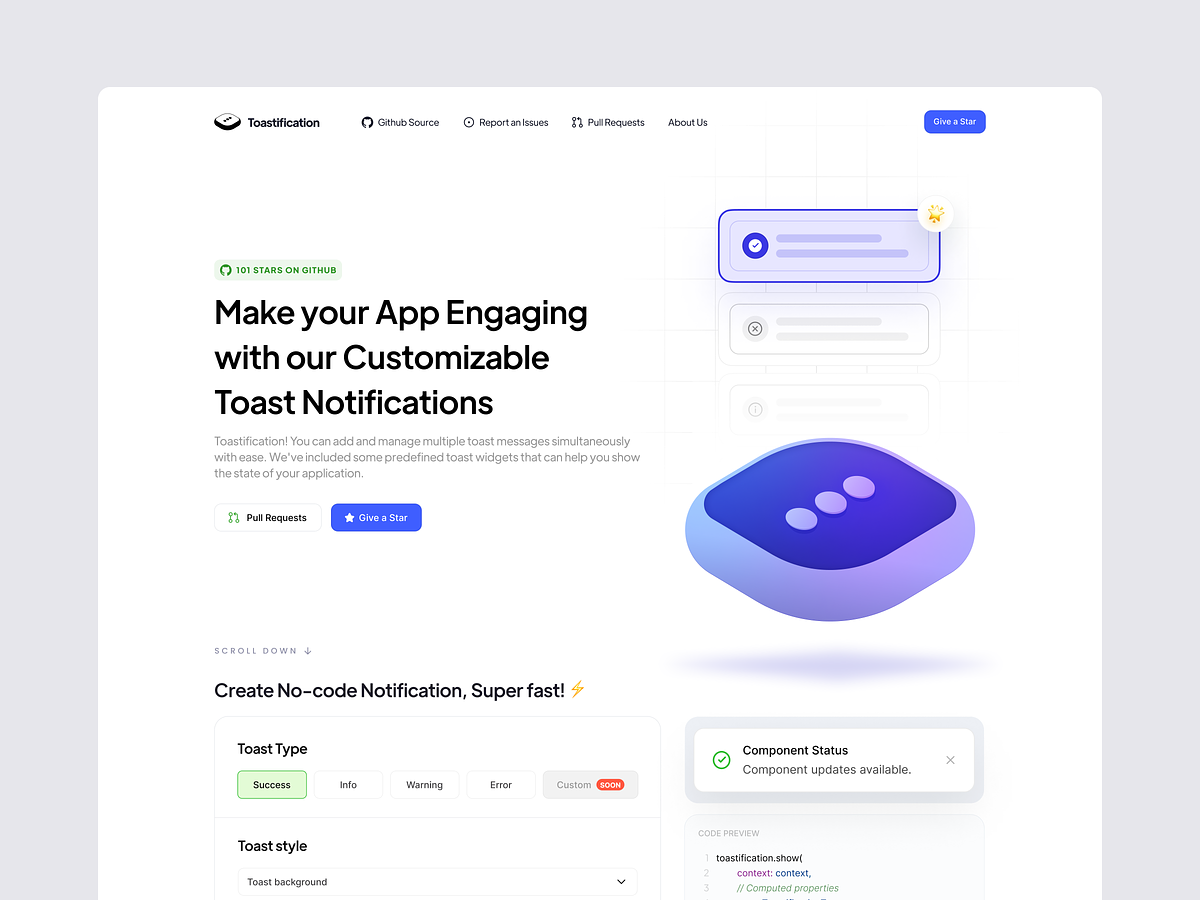
## [Toast Builder](https://payamzahedi.com/toastification/)
Don't want to dive into the whole documentation? No problem!
Just head over to our [Toast Builder Website](https://payamzahedi.com/toastification/), where you can effortlessly customize your toast notifications, copy the generated code, and seamlessly integrate them into your project. It's the quickest way to get started with Toastification!
https://github.com/payam-zahedi/toastification/assets/47558577/0e40aefd-b768-4d13-b982-eeeefb2256e9
## Installation
To use Toastification, you need to add it to your pubspec.yaml file:
```yaml
dependencies:
toastification: latest_version
```
Then, run `flutter pub get` to install the package.
## Usage
To use Toastification in your Flutter app, first import the package:
```dart
import 'package:toastification/toastification.dart';
```
before we dive into the details, you should know that you can use Toastification in two different way:
`toastification.show` Method: to show predefined toast messages with predefined styles.
`toastification.showCustom` Method: to show custom toast messages with custom styles.
you can either use the 'toastification' instance or 'Toastification()' constructor to access the methods.
## Usage without context
If you want to display toast messages without using `context`, wrap your AppWidget with `ToastificationWrapper` like this:
```dart
return ToastificationWrapper(
child: MaterialApp(),
);
```
And now you can use both `toastification.show` and `toastification.showCustom` without providing `context`.
## Show Method
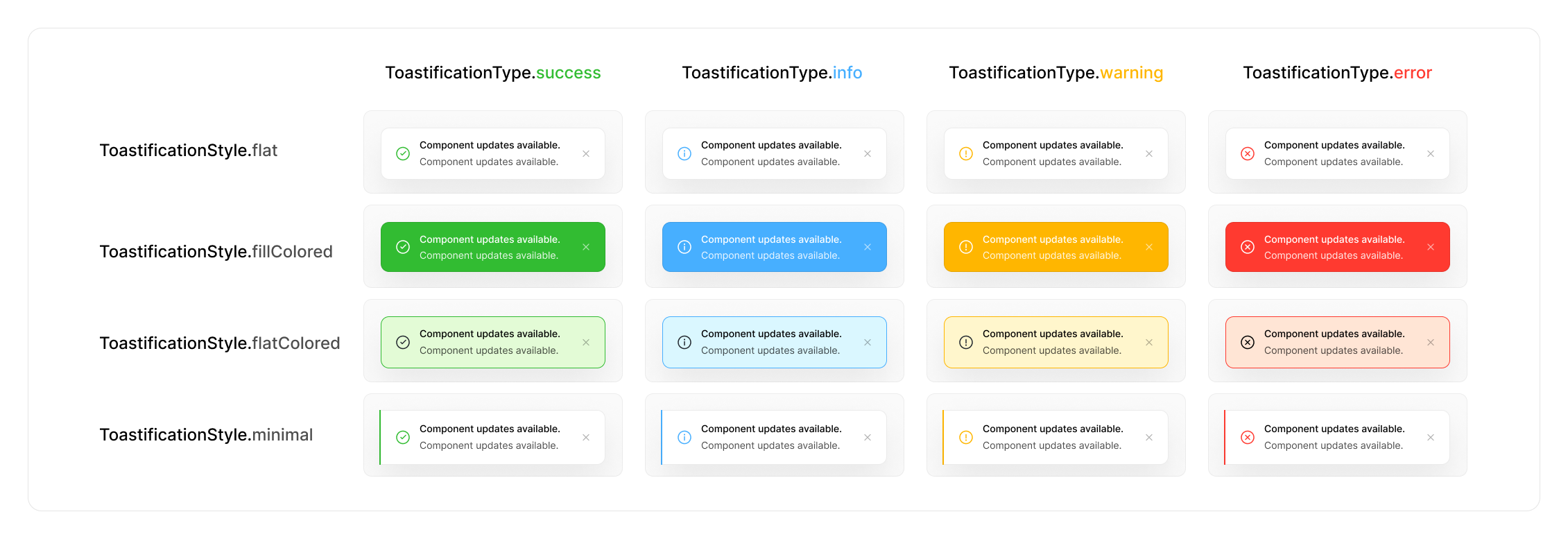
by using the `show` method, you can show predefined toast messages. you can use the `ToastificationType` enum to choose the type and `ToastificationStyle` enum to choose the style of the toast message.
```dart
toastification.show(
context: context, // optional if you use ToastificationWrapper
title: Text('Hello, world!'),
autoCloseDuration: const Duration(seconds: 5),
);
```
This will display a toast message with the text "Hello, world!".
You can customize the appearance of the toast message by passing in additional parameters to the `show()` method:
```dart
toastification.show(
context: context, // optional if you use ToastificationWrapper
type: ToastificationType.success,
style: ToastificationStyle.flat,
autoCloseDuration: const Duration(seconds: 5),
title: Text('Hello, World!'),
// you can also use RichText widget for title and description parameters
description: RichText(text: const TextSpan(text: 'This is a sample toast message. ')),
alignment: Alignment.topRight,
direction: TextDirection.ltr,
animationDuration: const Duration(milliseconds: 300),
animationBuilder: (context, animation, alignment, child) {
return FadeTransition(
turns: animation,
child: child,
);
},
icon: const Icon(Icons.check),
showIcon: true, // show or hide the icon
primaryColor: Colors.green,
backgroundColor: Colors.white,
foregroundColor: Colors.black,
padding: const EdgeInsets.symmetric(horizontal: 12, vertical: 16),
margin: const EdgeInsets.symmetric(horizontal: 12, vertical: 8),
borderRadius: BorderRadius.circular(12),
boxShadow: const [
BoxShadow(
color: Color(0x07000000),
blurRadius: 16,
offset: Offset(0, 16),
spreadRadius: 0,
)
],
showProgressBar: true,
closeButton: ToastCloseButton(
showType: CloseButtonShowType.onHover,
buttonBuilder: (context, onClose) {
return OutlinedButton.icon(
onPressed: onClose,
icon: const Icon(Icons.close, size: 20),
label: const Text('Close'),
);
},
),
closeOnClick: false,
pauseOnHover: true,
dragToClose: true,
applyBlurEffect: true,
onHoverMouseCursor: SystemMouseCursors.click,
callbacks: ToastificationCallbacks(
onTap: (toastItem) => print('Toast ${toastItem.id} tapped'),
onCloseButtonTap: (toastItem) => print('Toast ${toastItem.id} close button tapped'),
onAutoCompleteCompleted: (toastItem) => print('Toast ${toastItem.id} auto complete completed'),
onDismissed: (toastItem) => print('Toast ${toastItem.id} dismissed'),
),
);
```
### ToastificationStyle
We have 5 predefined styles for toast messages, each offering a unique look and feel to match your application's design. Here's a breakdown of each style:
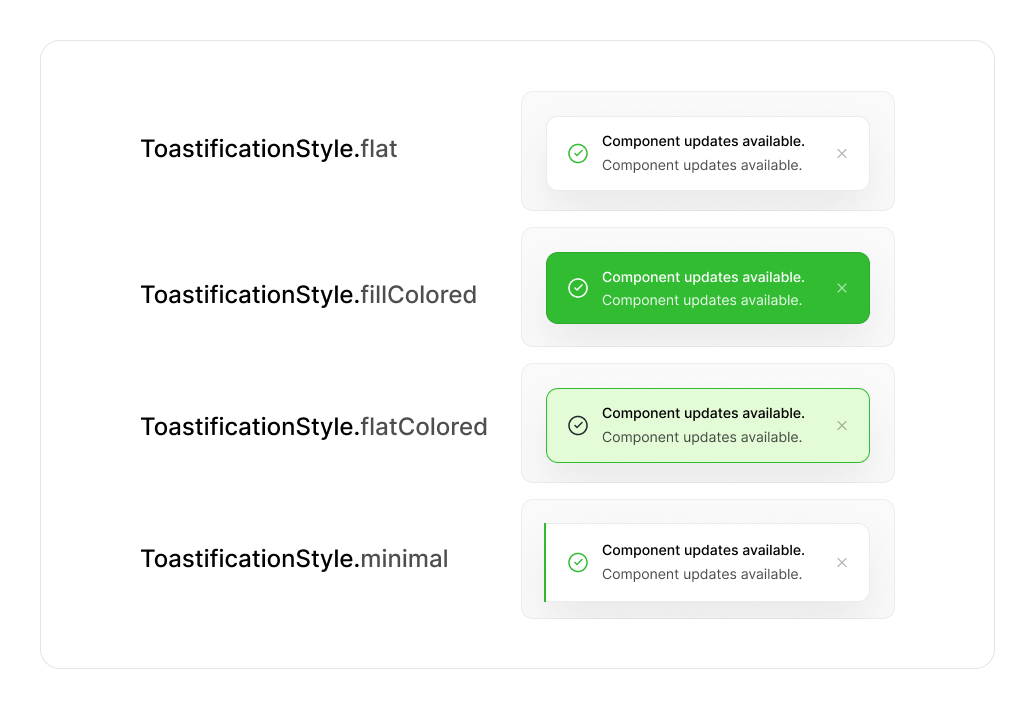
1. **ToastificationStyle.flat**
- A simple and clean style with a subtle border and no background fill. Ideal for minimalist notifications that don't overwhelm the interface.
2. **ToastificationStyle.fillColored**
- A bold style with a solid colored background. Perfect for high-visibility alerts or important notifications that need immediate attention.
3. **ToastificationStyle.flatColored**
- A balanced style with a flat design, colored borders, and text, but without a solid fill. Great for notifications that need to stand out without being too bold.
4. **ToastificationStyle.minimal**
- A sleek and modern design with minimal elements and an accent line denoting the notification type. Perfect for clean, distraction-free interfaces.
5. **ToastificationStyle.simple**
- A straightforward style showing a single line of text. Best for short, simple messages or confirmations where minimal design is preferred.
## ShowCustom Method
If you are looking for even more control over the appearance and behavior of your toast messages, you can use the showCustom() method to create a completely custom toast message. This method lets you pass in a builder function that returns the widget you want to display, giving you complete control over the toast's layout, styling, and interactivity.
With showCustom(), the possibilities are endless. You can create a custom toast message that matches your app's unique visual style, or you can add interactive elements like buttons and sliders to make your toast messages more engaging and dynamic.
Here's an example of how to use showCustom() to create a custom toast message with a button that lets users perform an action:
```dart
toastification.showCustom(
context: context, // optional if you use ToastificationWrapper
autoCloseDuration: const Duration(seconds: 5),
alignment: Alignment.topRight,
dismissDirection: DismissDirection.none,
animationBuilder: (context, animation, alignment, child) {
// Fade animation for the toast
return FadeTransition(opacity: animation, child: child);
},
builder: (context, holder) {
return Container(
margin: const EdgeInsets.symmetric(horizontal: 16, vertical: 8),
padding: const EdgeInsets.all(3),
decoration: BoxDecoration(
color: Colors.white.withAlpha(200),
borderRadius: BorderRadius.circular(12),
boxShadow: [
BoxShadow(
color: Colors.green.withAlpha(100),
blurRadius: 40,
spreadRadius: 15,
),
],
),
child: GestureDetector(
onTapDown: (_) => holder.pause(), // Pause dismiss timer on hold
onTapUp: (_) => holder.start(), // Resume dismiss timer on release
dragStartBehavior: DragStartBehavior.down,
child: DecoratedBox(
decoration: const BoxDecoration(
color: Colors.green,
borderRadius: BorderRadius.only(
topLeft: Radius.circular(10),
topRight: Radius.circular(10),
bottomLeft: Radius.circular(10),
bottomRight: Radius.circular(50),
),
),
child: Padding(
padding: const EdgeInsets.symmetric(
horizontal: 16,
vertical: 12,
),
child: Row(
children: [
const Expanded(
child: Column(
crossAxisAlignment: CrossAxisAlignment.start,
children: [
Text(
'Title',
style: TextStyle(
color: Colors.white,
fontWeight: FontWeight.w600,
fontSize: 14,
),
),
SizedBox(height: 4),
Text(
'Custom Toast Message',
style: TextStyle(
color: Colors.white70,
fontWeight: FontWeight.w400,
fontSize: 12,
),
),
],
),
),
IconButton(
onPressed: () {
// Dismiss the toast
toastification.dismissById(holder.id);
},
icon: const Icon(
Icons.close_rounded,
color: Colors.white,
),
),
],
),
),
),
),
);
},
);
```
With showCustom(), you're only limited by your imagination. Create a toast message that stands out from the crowd and adds a touch of personality to your app!
### Using GlobalNavigatorKey
If you need to show toasts from places where you don't have access to the BuildContext, you can use a GlobalNavigatorKey. This is particularly handy when you are using frameworks like GetX, where you don't have access to `context`.
First, create a GlobalNavigatorKey:
```dart
final GlobalKey globalNavigatorKey = GlobalKey();
```
Then, assign it to your MaterialApp:
```dart
MaterialApp(
navigatorKey: navigatorKey,
// ... other properties
)
```
Now you can `show` toasts using the overlayState from the navigatorKey:
```dart
toastification.show(
overlayState: navigatorKey.currentState?.overlay,
autoCloseDuration: const Duration(seconds: 5),
title: Text('Hello, World!'),
);
```
If you want to use `showCustom` instead, you can use it like this:
```dart
toastification.showCustom(
overlayState: navigatorKey.currentState?.overlay,
autoCloseDuration: const Duration(seconds: 5),
builder: (BuildContext context, ToastificationItem holder) {
// Your custom toast widget
},
);
```
## Custom Animations
You can customize the animation of the toast notification by providing a Duration for the animation duration and implementing your own animation builder function using the animationBuilder parameter. Here's an example of how to use custom animations:
```dart
toastification.show(
context: context,
title: Text('Hello, world!'),
// .... Other parameters
animationDuration: const Duration(milliseconds: 300),
animationBuilder: (context, animation, alignment, child) {
return RotationTransition(
turns: animation,
child: child,
);
},
);
```
## Global/Default Configuration
Global configuration allows you to change the default behavior of Toastification across your entire application or in a specific page. To achieve this, you can provide your own `ToastificationConfig` using the `ToastificationConfigProvider` widget.
The `ToastificationConfigProvider` is an inherited widget, which means the provided configuration will be available to all child widgets in the widget tree. This allows you to maintain consistent toast notification behavior throughout your app.
#### Applying Global Configuration for the Whole App
To apply global configuration for the entire application, use `builder` parameter of the `MaterialApp` widget to wrap your pages with `ToastificationConfigProvider` and provide an instance of `ToastificationConfig`. Here's an example:
```dart
class MyApp extends StatelessWidget {
const MyApp({super.key});
@override
Widget build(BuildContext context) {
return MaterialApp(
title: 'Toastification',
builder: (context, child) {
return ToastificationConfigProvider(
config: const ToastificationConfig(
margin: EdgeInsets.fromLTRB(0, 16, 0, 110),
alignment: Alignment.center,
itemWidth: 440,
animationDuration: Duration(milliseconds: 500),
blockBackgroundInteraction: false,
),
child: child!,
);
},
);
}
}
```
#### Applying Global Configuration for a Specific Page
To apply global configuration for a specific page, you can wrap the widget tree of that page with `ToastificationConfigProvider` and provide an instance of `ToastificationConfig`. Here's an example:
```dart
class HomePage extends StatelessWidget {
const HomePage({super.key});
@override
Widget build(BuildContext context) {
return const ToastificationConfigProvider(
config: ToastificationConfig(
margin: EdgeInsets.fromLTRB(0, 16, 0, 110),
alignment: Alignment.center,
itemWidth: 440,
animationDuration: Duration(milliseconds: 500),
blockBackgroundInteraction: false,
),
child: Scaffold(
body: HomeBody(),
),
);
}
}
```
##### Block Background Interaction
The `blockBackgroundInteraction` parameter allows you to control whether the background should be interactive when toasts are displayed. When set to `true`, the background will be blocked from receiving touch events, ensuring that users can only interact with the toast notifications. default value is `false`.
```dart
ToastificationConfig(
blockBackgroundInteraction: true, // Blocks background interaction
// ... other configuration options
)
```
---
## Manage Your Notifications
In addition to displaying toast messages, the Toastification package also provides methods for managing and dismissing existing notifications. Here are the available methods:
#### Find a Notification item
Find a notification with the given ID.
```dart
final notification = toastification.findToastificationItem('my_notification_id');
```
#### Dismiss a Notification
Remove a specific notification from the screen.
```dart
final notification = toastification.show(
context: context,
title: Text('Hello'),
autoCloseDuration: const Duration(seconds: 5),
);
toastification.dismiss(notification);
```
#### Dismiss a Notification by ID
Remove a notification with the given ID from the screen.
```dart
toastification.dismissById('my_notification_id');
```
#### Dismiss All Notifications
Remove all notifications that are currently displayed on the screen.
```dart
toastification.dismissAll(delayForAnimation: true);
```
You can customize the dismissal behavior by setting the `delayForAnimation` parameter. If set to `true`, Toastification will wait for the animation to finish before dismissing all notifications. If set to `false`, the notifications will be dismissed immediately without waiting for the animation.
#### Dismiss First Notification
Remove the first notification from the screen.
```dart
toastification.dismissFirst();
```
#### Dismiss Last Notification
Remove the last notification from the screen.
```dart
toastification.dismissLast();
```
## Design
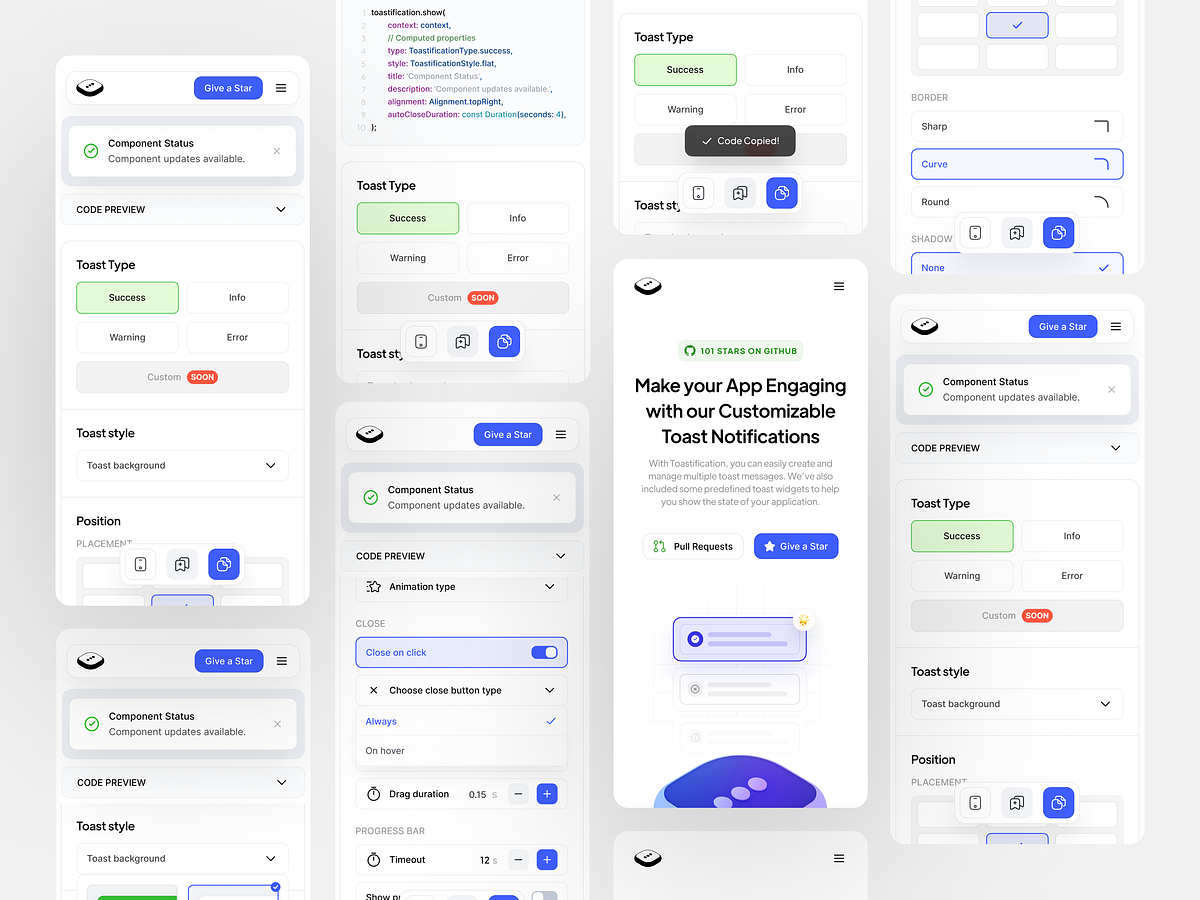
Toastification was redesigned by [Sepide Moqadasi](https://sepide.design/). We want to extend our heartfelt appreciation to Sepide for her exceptional design work, which has made Toastification visually appealing and user-friendly. Special thanks to Sepide for her valuable contributions to this project.
## Contributors
Contributions are always welcome! If you have any suggestions, bug reports, or feature requests, please open an issue on the GitHub repository.
If you would like to contribute to the project, please read the [CONTRIBUTING.md](https://github.com/payam-zahedi/toastification/blob/main/CONTRIBUTING.md "CONTRIBUTING.md") file for more information on how to contribute.
## License
Toastification is released under the `BSD-3-Clause` License. You can find the full text of the license in the LICENSE file in the root of the repository.
#### Icon Assets
This package uses icons from **[Iconsax](https://iconsax.io/)**.
- **License:** [Iconsax Free License](https://docs.iconsax.io/license-and-terms/license)
- **Attribution:** Icons are provided by Iconsax as a functional resource for this framework. The icons themselves remain the intellectual property of Iconsax.
---
#### \* Written with the help of AI
## Changelog
# 3.2.0
- feature: add new parameter for on hover mouse cursor by @payam-zahedi
- refactor(deps): remove dependency to iconsax by @MostafaSensei106
- refactor: make BuiltInContainer public by @payam-zahedi
# 3.1.0
- core: upgrade minimum supported flutter version to 3.38.0
- fix: dispose overlay and value listener after animation remove by @pedrosantosdd
- fix: Resolve toast block by Overlay breaking change (Flutter 3.38+) by @RF103T
## 3.0.3
- feat: Add Advanced Custom Toast Example by @mahdiyarz
- feat: add block background intercation in global config by @payam-zahedi
## 3.0.2
- fix(example): ensure scrollbar reaches screen edge on large screens by applying maxWidth constraints locally by @reza00farjam
- fix: update minimum flutter version to 3.27.0 by @payam-zahedi
- fix: fix sample toast issue by @payam-zahedi
## 3.0.1
- fix: fix issue related to styles by @payam-zahedi
## 3.0.0
- feat: add inherited widget to pass properties to built in widgets by @alirezat66
- feat: restructure toasts by @alirezat66
- fix: Update CONTRIBUTING.md link in README.md by @AntonioAEMartins
- feat: Update ToastificationStyle Section with 5 Predefined Styles and Updated Image by @AntonioAEMartins
- refactor: use super parameters & trailing commas by @codered-sjy
- doc: Added dismissAll Method Explanation by @Arthur-Barreto
- feat: Enhance SimpleToastWidget with Close Button by @AntonioAEMartins
- fix: increase BuiltInContent maxLines to 2 and add TextOverflow.ellipsis by @payam-zahedi
- feat: Add dismissFirst and dismissLast methods to docs by @AntonioAEMartins
- feat: Add `maxToastLimit` to ToastificationConfig and Improve Toast Management by @AntonioAEMartins
- feat: Save User's Last State in Toast Builder – Implemented State Persistence Using Drift (Issue 73) by @AntonioAEMartins
- feat: add customizable close button by @reza00farjam
- fix: using navigator key to show toasts by @payam-zahedi
- feat: upgrade flutter version 3.27.1 by @payam-zahedi
- refactor: refactoring core of the package by @payam-zahedi
- feat: adding test for core of the package by @payam-zahedi
## 2.3.0
- fix: AnimationController.dispose() called more than once. on multiple action show by @AntonioAEMartins
- fix: add extra bottom margin to account for keyboard by @MrLightful
- refactor: toast config and applyMediaQueryViewInsets as property by @payam-zahedi
- fix: add Media Query view padding as a margin to toast overlay by @payam-zahedi
- fix: add max line limit for title and description by @payam-zahedi
## 2.2.0
- Fix offset in description when title is null by @romatallinn
- fix: Cannot hide the icon if the style is FlatColored by @sandunrajitha
- fix: remove padding on top of toast list and make it tappable by @payam-zahedi
## 2.1.0
- fix: Add clipBehavior for ToastificationConfig by @komakur
- feat: Add dismiss icon possibility by @alirezat66
## 2.0.0
- Feature: optional context by @SamadiPour
- Add optional BorderSide option by @LampeMW
## 1.2.1
- Enhancement: [Website] Adding Icon Picker Component by @mahmoud-eslami
## 1.2.0
- [Website] Adding Color Picker Component by @mahmoud-eslami
- fix dependency versions in pubspec by @bahiraei
- fix the color picker issues on builder website by @payam-zahedi
- Feature: dismiss direction by @sibiramer
- Add blur effect to all toast styles by @ayoubrajabi
- Allow Widgets in Toast Title and Description by @callmephil
## 1.1.0
- add new toast style (ToastificationStyle.simple) by @mahmoud-eslami
- add toastification callbacks by @payam-zahedi
## 1.0.2
- Fix the code preview section issue by @mahmoud-eslami
- onAutoCompleteCompleted Callback exposed to user by @Shery573
- Add github stars section by @payam-zahedi
## 1.0.1
- update README.me by @payam-zahedi
## 1.0.0
- add dismissAll function by @payam-zahedi
- add toastification manager and alignment to toasts by @payam-zahedi
- add swipe to dismiss feature by @payam-zahedi
- update and deploy example app by @payam-zahedi
- update default icons and primary colors by @payam-zahedi
- add support for textDirection by @payam-zahedi
- add progress bar by @payam-zahedi
- add different close types by @payam-zahedi
- add custom animation to example by @payam-zahedi
- Add equatable and change cupertino with widgets by @benyaminbeyzaie
- Add \_disposeAnimation() by @benyaminbeyzaie
- fix example design issues in v1.0.0 by @payam-zahedi
- update the built in toast base on the design by @payam-zahedi
- update theme values by @payam-zahedi
- Remove .vscode from git by @benyaminbeyzaie
- update kotlin_version by @benyaminbeyzaie
- Add new AppBar by @benyaminbeyzaie
- Add Toastification Config Provider by @benyaminbeyzaie
- add new properties to global config by @payam-zahedi
- Feat/update panel by @payam-zahedi
- Update header by @payam-zahedi
- Update toast preview component by @payam-zahedi
- Add responsive toast types by @benyaminbeyzaie
- update code preview widget by @payam-zahedi
## 0.0.3
- Added custom animation feature with `animation duration` and `animation builder` parameters
- Updated documentation to include custom animation usage
- Other minor bug fixes and improvements
## 0.0.2
- README.md file created
- CONTRIBUTING.md file created
- Added new use cases for mobile and web
- Updated example UI
## 0.0.1
- Initial package version released
- Toastification core created
- Predefined toast widgets added
- Progressbar for widget added
- Implemented pause onHover behavior