# wheel_picker 0.3.0
A value/time picking widget using input wheels. Customizable and light weight.
## Installing
```
export PUB_HOSTED_URL=https://pub.mirror.p-hatan.com
flutter pub add 'wheel_picker:0.3.0'
```
Published: 2026-04-04T15:12:52.040140Z
Expected archive SHA-256: fd761fd895093791f808a8433a861179c7716cc02720cc984271fa79eced3a6a
Available in cache; verification: upstream_checksum
## Direct dependencies
- flutter: map[sdk:flutter]
## Package README (untrusted upstream documentation)
# Wheel Picker
A superset version of original [ListWheelScrollView](https://api.flutter.dev/flutter/widgets/ListWheelScrollView-class.html) for easily creating wheel scroll input.
[](https://flutter.dev/) [](https://pub.dev/packages/wheel_picker)
## Key Features
- **Item Selection**: Retrieve the selected item index effortlessly.
- **Highlight Selection**: Highlight selected items with a color shader.
- **Tap Navigation**: Enable tap scrolls.
- **Horizontal Scroll Direction**: Horizontal wheel scroll view.
- **Styling Flexibility**: Customize wheel appearance with `WheelPickerStyle`.
- **Precise Control**: Manage and synchronize `WheelPicker` widgets with a `WheelPickerController`.
- **Mounting Controllers**: Easily integrate and shift multiple controllers.
## Installing
Add it to your `pubspec.yaml` file:
```yaml
dependencies:
wheel_picker: ^0.3.0
```
Install packages from the command line:
```
flutter packages get
```
## Usage
To use package, just import package `import 'package:wheel_picker/wheel_picker.dart';`
## Example
Here's a quick example to get you started:
```dart
const daysOfWeek = ['Sunday','Monday','Tuesday','Wednesday','Thursday','Friday','Saturday'];
return WheelPicker(
itemCount: 7,
builder: (context, index) => Text(daysOfWeek[index]),
selectedIndexColor: Colors.orange,
looping: false,
);
```
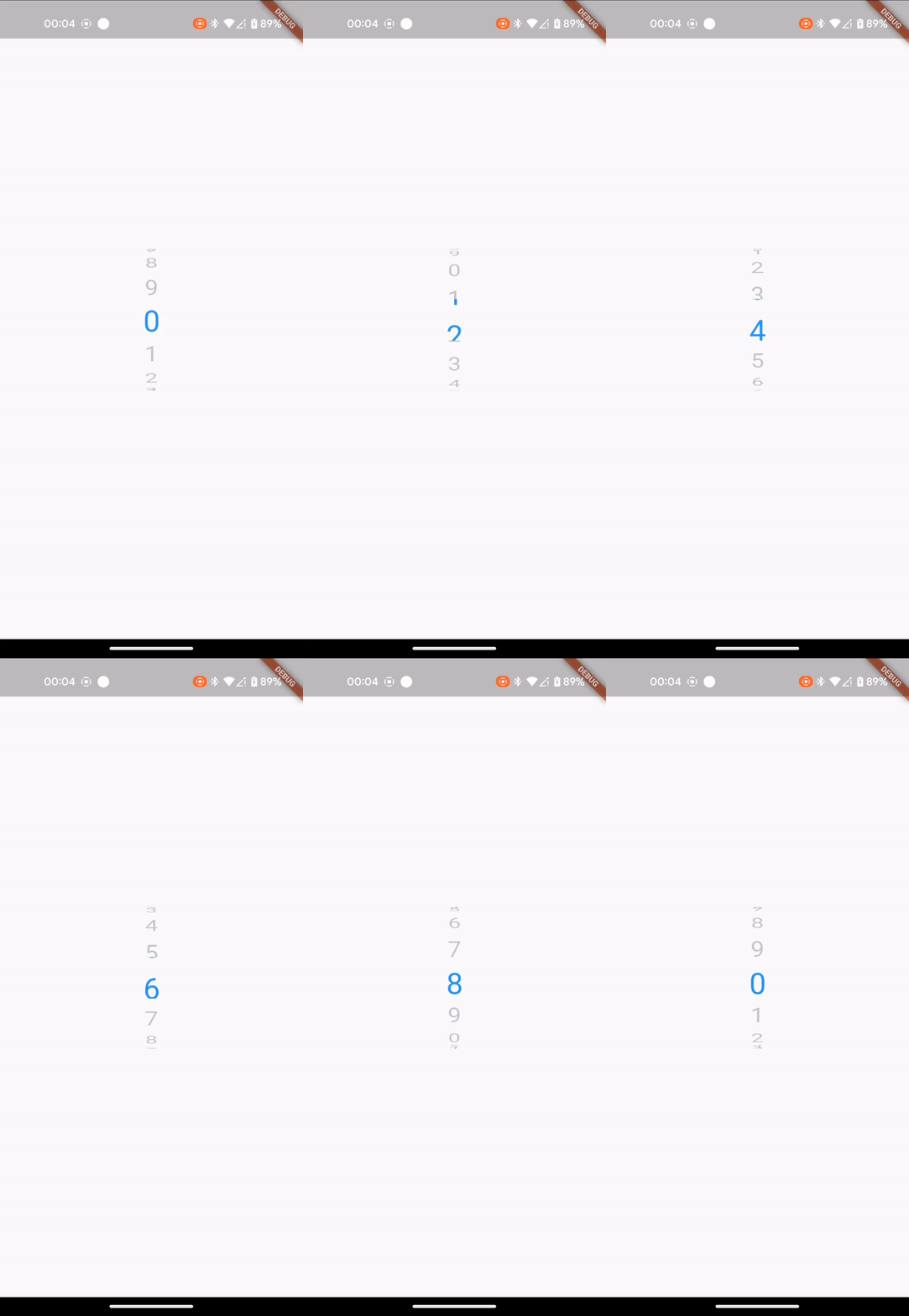
### Basic (Left Gif)
For more control, you can attach a controller and adjust it to your liking:
```dart
import 'dart:async';
import 'package:flutter/material.dart';
import 'package:wheel_picker/wheel_picker.dart';
class WheelPickerExample extends StatelessWidget {
const WheelPickerExample({super.key});
@override
Widget build(BuildContext context) {
final secondsWheel = WheelPickerController(itemCount: 10);
const textStyle = TextStyle(fontSize: 32.0, height: 1.5);
Timer.periodic(const Duration(seconds: 1), (_) => secondsWheel.shiftDown());
return WheelPicker(
builder: (context, index) => Text("$index", style: textStyle),
controller: secondsWheel,
selectedIndexColor: Colors.blue,
onIndexChanged: (index, interactionType) => print("On index $index"),
style: WheelPickerStyle(
itemExtent: textStyle.fontSize! * textStyle.height!, // Text height
squeeze: 1.25,
diameterRatio: .8,
surroundingOpacity: .25,
magnification: 1.2,
),
);
}
}
class MyApp extends StatelessWidget {
const MyApp({super.key});
@override
Widget build(BuildContext context) {
return const MaterialApp(
title: 'Flutter Example',
home: Scaffold(
body: Center(
child: WheelPickerExample(),
),
),
);
}
}
void main() => runApp(const MyApp());
```
> **Note:** This works for this short example but don't forget to manually dispose controllers you initialize youself.
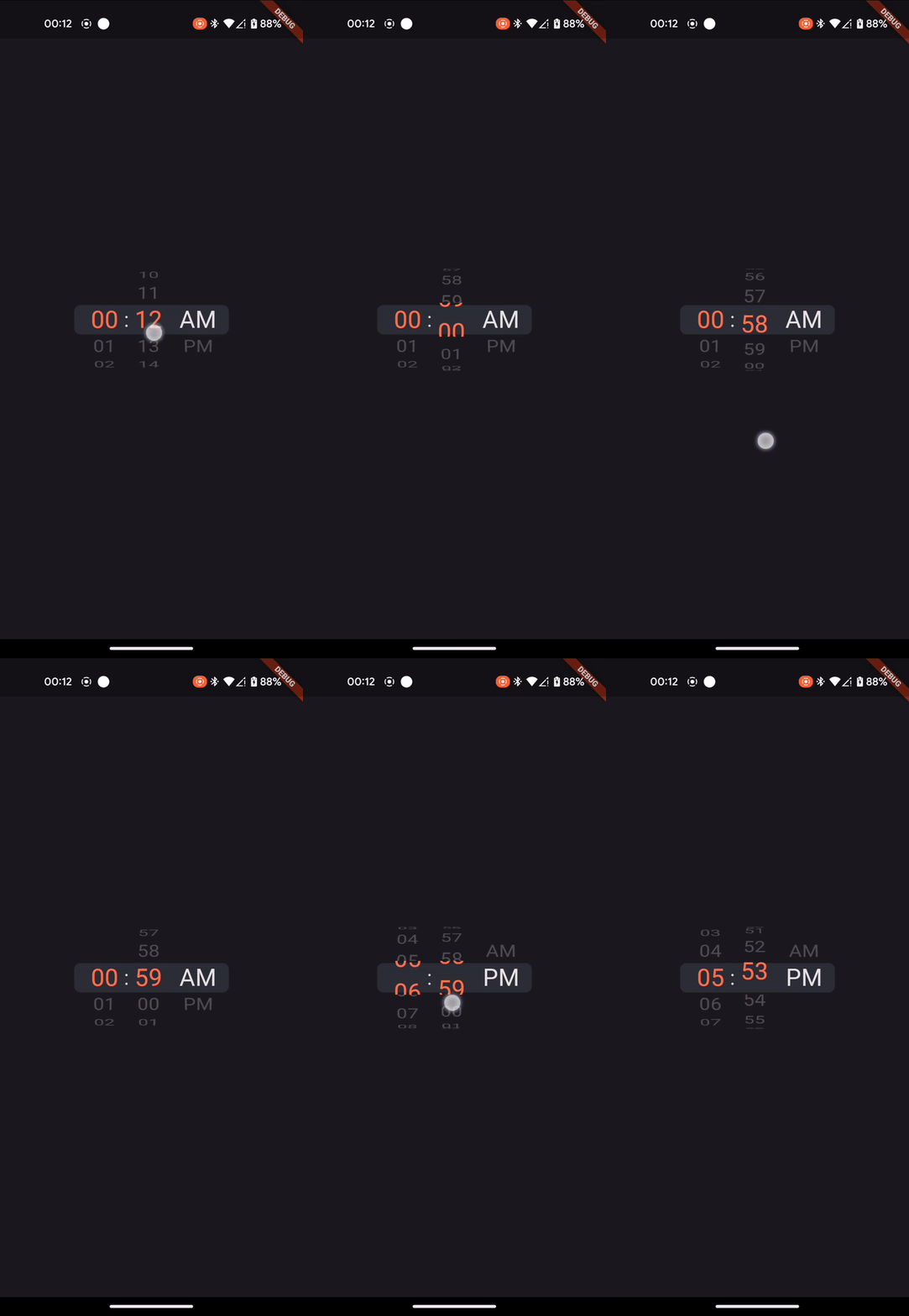
### Advanced (Right Gif)
For more advanced usage, you can also mount controllers, making them shift each other. See [example](example/lib/main.dart).
### Example: Listening for the scroll end event
```dart
const daysOfWeek = ['Sunday','Monday','Tuesday','Wednesday','Thursday','Friday','Saturday'];
return NotificationListener(
onNotification: (notification) {
if (notification is ScrollEndNotification) {
print('User has ended scrolling');
}
return false;
},
child: WheelPicker(
itemCount: 7,
builder: (context, index) => Text(daysOfWeek[index]),
selectedIndexColor: Colors.orange,
looping: false,
),
);
```
Feel free to share your feedback, suggestions, or contribute to this package :handshake:.
If you like this package, consider supporting it by giving it a star on [GitHub](https://github.com/stavgafny/wheel_picker) and a like on [pub.dev](https://pub.dev/packages/wheel_picker) :heart:.
## Changelog
## 0.0.1 — Initial Release (2023-09-11)
- Added the `Wheel Picker` package to the repository.
- Included basic documentation in the README.
- Provided examples for using the package.
- Listed key features and installation instructions.
This release contains the `WheelPicker` widget with `WheelPickerController` and `WheelPickerStyle`.
---
## 0.0.2 — Documentation Update (2023-09-11)
- Updated package README documentation.
---
## 0.0.3 — Pubspec Update (2023-09-20)
- Updated package pubspec to use the repository instead of the homepage.
---
## 0.0.4 — Horizontal Scrolling Support (2023-12-25)
- Added support for horizontal scrolling.
- **Breaking Change**: Removed `width` and `height` parameters.
- **New Feature**: Introduced `size` parameter for specifying wheel size for both scroll directions.
---
## 0.0.5 — Controller Improvements (2024-07-04)
- Added support for updating `itemCount` and more control for moving between the wheel.
- Added controller's `.shiftTo` and `.setCurrent` methods.
- `itemCount` can now be changed using the wheel picker controller or reactively through the wheel picker widget.
---
## 0.1.0 — Full Size Control (2024-08-09)
- **Breaking Change**: The `size` property has been removed.
- Developers now have full control over the widget's size and constraints. By default, the widget will take up as much space as possible.
- Updated the README to reflect the changes.
---
## 0.1.1 — Refactor & README Fixes (2024-08-31)
- Refactored import structure: integrated `WheelPickerController` as part of `WheelPicker`.
- Updated README file to fix typos and improve clarity.
---
## 0.2.0 — Interaction Tracking (2024-12-29)
- **New Feature**: Added support for tracking interaction types (`tap`, `drag`, `control`, `mounted`) during `onIndexChanged`.
- Improved code structure and organization.
---
## 0.2.1 — Naming & Formatting (2024-12-31)
- Refined naming for improved clarity.
- Reformatted code to align with pub's static analysis standards.
---
## 0.2.2 — SDK & Example Updates (2025-06-21)
- Lowered SDK constraints to support a wider range of Dart and Flutter versions.
- Improved README: updated the basic example’s `onIndexChanged` usage and added an example showing how to listen for scroll end events.
---
## 0.3.0 — Infinite Wheels & Performance (2026-04-04)
- **New Feature**: Added support for infinite wheels in both directions.
- **Performance Improvement**: Regular wheels with a large number of items now use a builder instead of `List.generate`.
- **Non-breaking Change**: `itemCount` now allows `null` without breaking existing implementations.
- **Examples**: Added a second example demonstrating switching logic with the infinite wheel and updated all examples to follow the newest Flutter SDK.